




When it comes to synth plugins, I’m sure a few come to mind right away… and one of them is definitely Serum 2, am I right?
But now, there’s a new AI synth plugin on the market that has a lot of producers and sound designers asking a very real question: is Unisynth actually better?
And honestly, that is not a small question because Serum has been one of the most respected names in modern sound design for years.
However, Unisynth is coming in hot, with a completely different angle and some serious buzz behind it (even from grammy winners!).
So today, I’m breaking down the ultimate question of the century: Unisynth vs. Serum 2 一 Who is more powerful? Who has more to offer? Who is more on point?
And, most importantly, who really deserves to be called the GOAT?
Well, in order to answer that, I’ll be breaking down every major feature and function that matters, including:
- Workflow & usability ✓
- Sound generation ✓
- AI capabilities ✓
- Oscillator design ✓
- Filter options ✓
- Routing flexibility ✓
- Modulation depth ✓
- FX sections ✓
- Wavetable editing ✓
- Preset workflow ✓
- Expansion features ✓
- Sound-design skill ✓
- So much more ✓
This is not one of those comparisons where I’m only looking at surface-level features or who has the prettier interface.
I’m talking about the stuff that actually matters when you’re in the middle of a session and need your synth to deliver on all fronts.
When it comes to synth plugins, it is all about sound quality, workflow, and how far you can actually take your ideas once inspiration strikes like lightning.
So, in order to really decide who is more impressive, more capable, and more worthy of that top spot, let’s get into Unisynth vs. Serum 2…
Table of Contents
What Is Unisynth & Why Is It Already Being Called the GOAT?
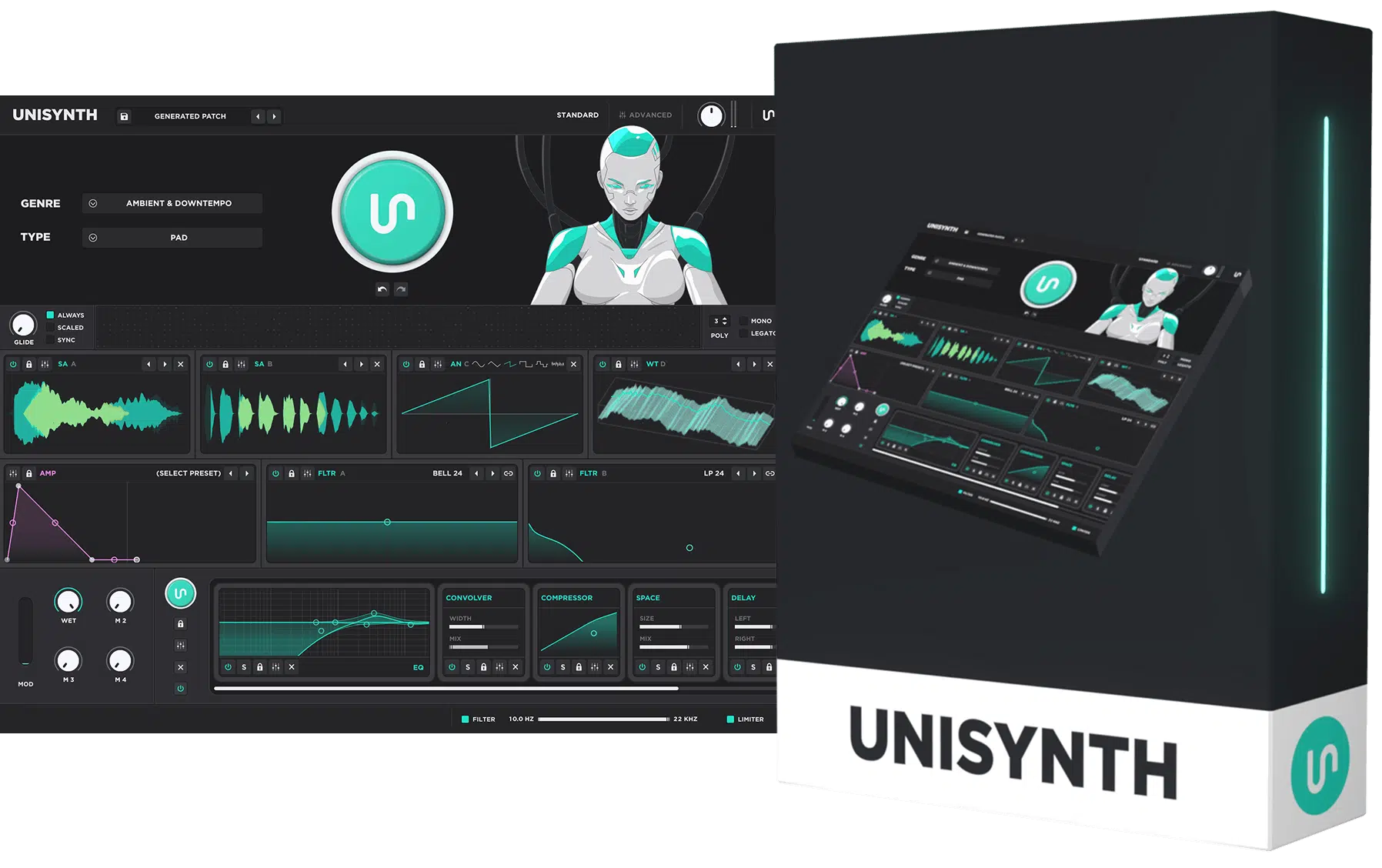
Unisynth feels like the kind of synth people have been waiting on for a long time, because it is not just another deep instrument and it is not just another AI tool.
It’s the best of both worlds and is about to become the most revolutionary AI synth plugin on the entire planet (that’s what the pros are already calling it).
It gives you a fast, visual workflow in Standard View, where you can pick from 32 genres and 6 sound types, generate a patch, and shape it with XY controls.
Plus move super quickly without getting buried in the technical side or lost in menus.
And once you want to go deeper, Advanced View opens into a full-blown synth with:
- 4 oscillators
- 95 filter options
- 6 routing mixers
- Up to 24 FX units
- Up to 48 simultaneous modulators
And those 4 oscillators are not all doing the same job either, because each one can run as Analog, Wavetable, Sampler, or Resonator, giving Unisynth a way bigger tonal range than the average synth right from the jump.
There is no feeling that you are trading depth for convenience 一 not by a long shot.
It also gives you things a lot of producers and sound designers actually care about in the long run, like an advanced wavetable editor, an advanced modulation matrix, and 80 AI generators spread across the instrument.
And those 80 AI generators are a much bigger deal than they sound…
Beyond the main Patch Generator and FX-Chain Generator, you also get individual generators for oscillators, filters, modulators, FX units, and all other major sections of the synth.
It feels more flexible and versatile the more time you spend with it, which is what you want from a top AI synth plugin.
What really makes Unisynth hit though, is that the AI is not there to replace sound design, but rather work as a collaborator to help you get epic results.
And then lets you decide how hands-on you want to be from there (and trust me you can go all in or you can let Unisynth do all the work for you; dealer’s choice).
That mix of speed, control, and straight-up range is exactly why so many people are already throwing the word GOAT around when they talk about Unisynth.
If you want to learn ALL about Unisynth, every single feature/function, make sure to check out the official Unisynth Article.
Serum 2: Breaking it Down
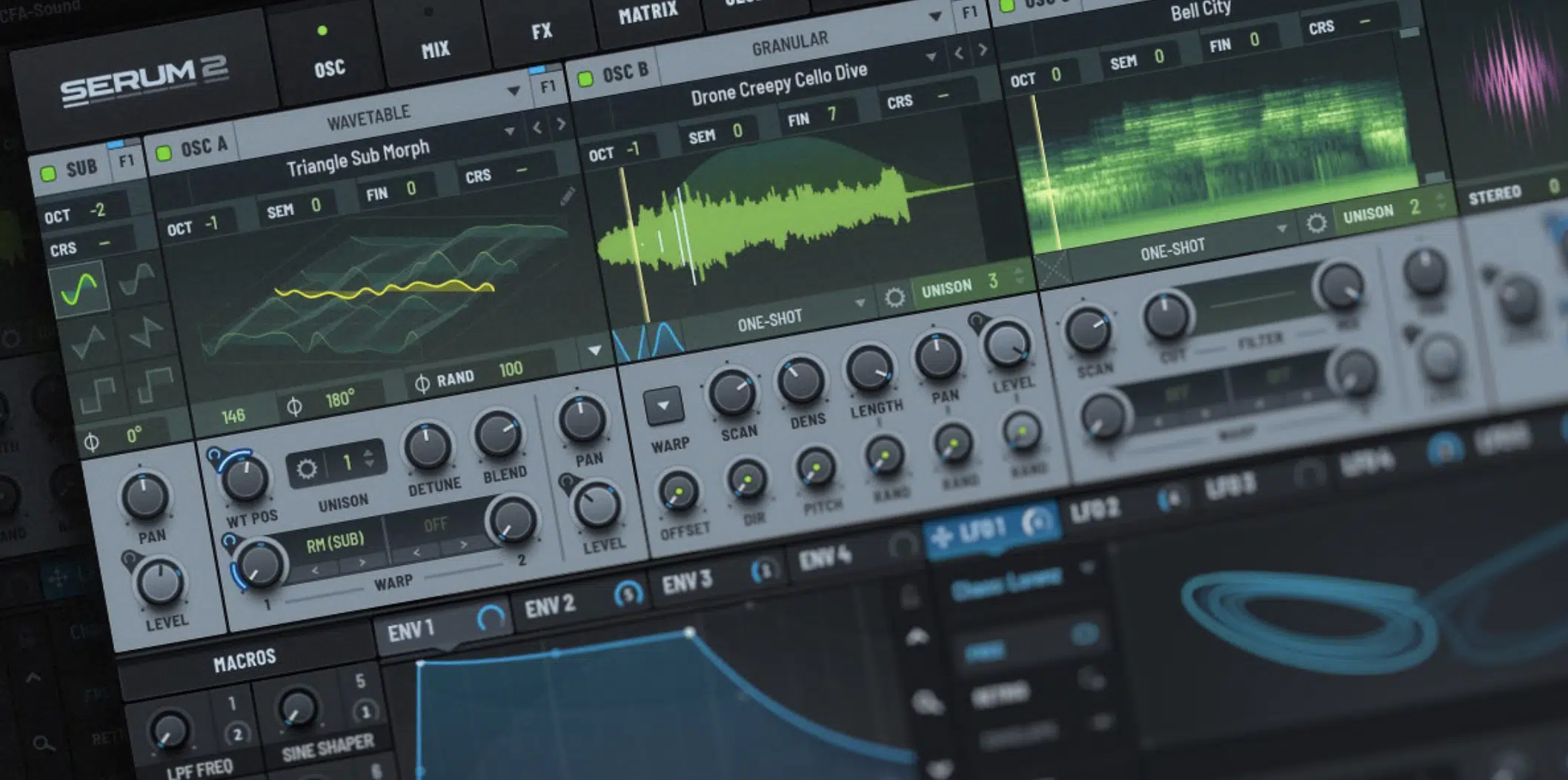
Serum 2 is still a very strong synth, and that should not surprise anyone, because the original Serum earned its reputation by making wavetable sound design feel clean, visual, and actually fun to work with.
Version 2 definitely adds more under the hood, including three primary oscillators and five oscillator modes: Wavetable, Multisample, Sample, Granular, and Spectral.
Plus, dual filters, eight macros, four envelopes, up to ten LFOs, an arpeggiator, and a clip sequencer.
So, from a pure features point of view, Serum 2 is not lacking, and if you already know the Serum workflow, there is still a lot here that feels familiar in a good way.
At the same time, I get why a bunch of producers came away feeling like it was more of a refinement than the full-on leap they expected from a version 2.
The overall experience still feels like a bigger Serum rather than a completely new chapter 一 which is why people started joking that it landed closer to Serum 1.5 than the total reset they were hoping for.
And that is exactly why this comparison is so interesting, because Serum 2 expands a classic, while Unisynth is trying to push the whole category to a whole new level.
Unisynth Vs Serum 2: Features, Functions & Abilities
So now that the bigger picture is out of the way, it is time for the part that really matters: Unisynth Vs Serum 2 as a whole. And to make this fair, I’m going feature by feature and breaking down how both of them handle the stuff producers and sound designers like myself actually care about.
Workflow & Usability
When producers talk about workflow, what we really mean is simple: how fast can you get to a sound that actually feels worth keeping and doesn’t suck?
That is where Unisynth makes a very strong first impression…
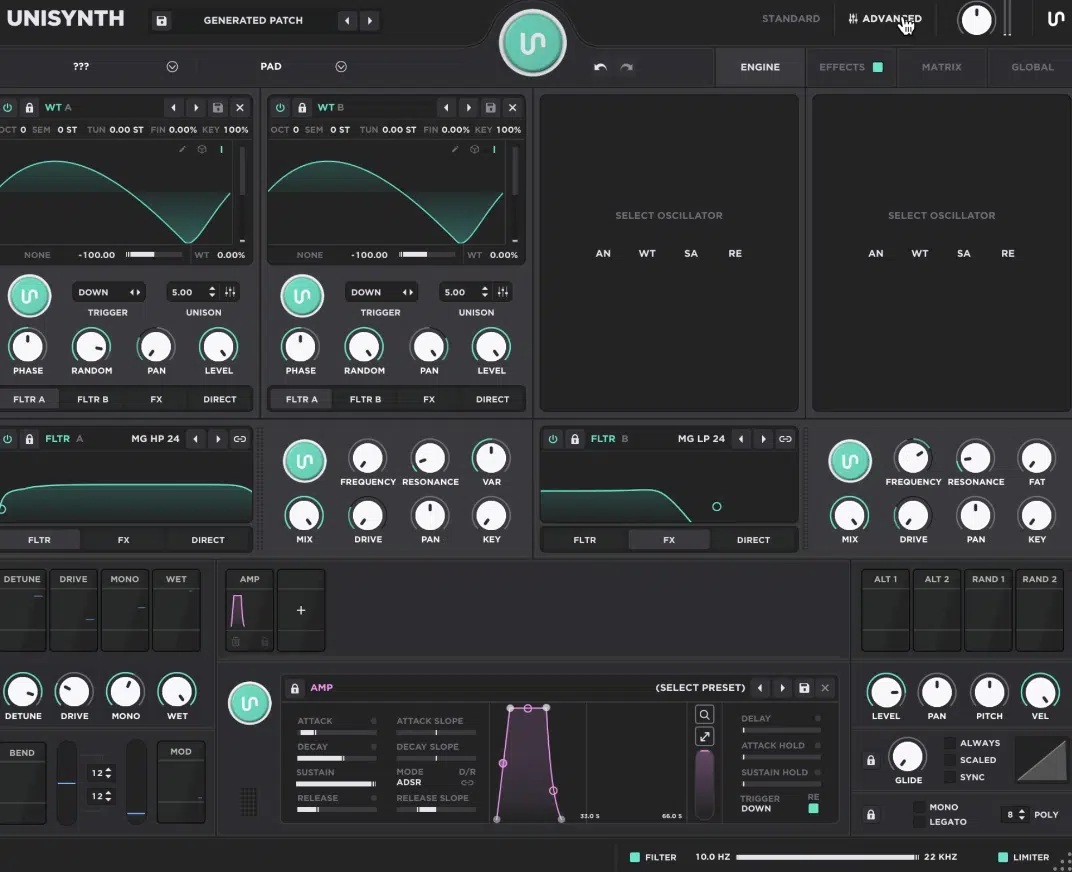
It gives you Standard View for the quick, visual side and Advanced View for the deeper side, so you are not hit with every single parameter the second you open the plugin.
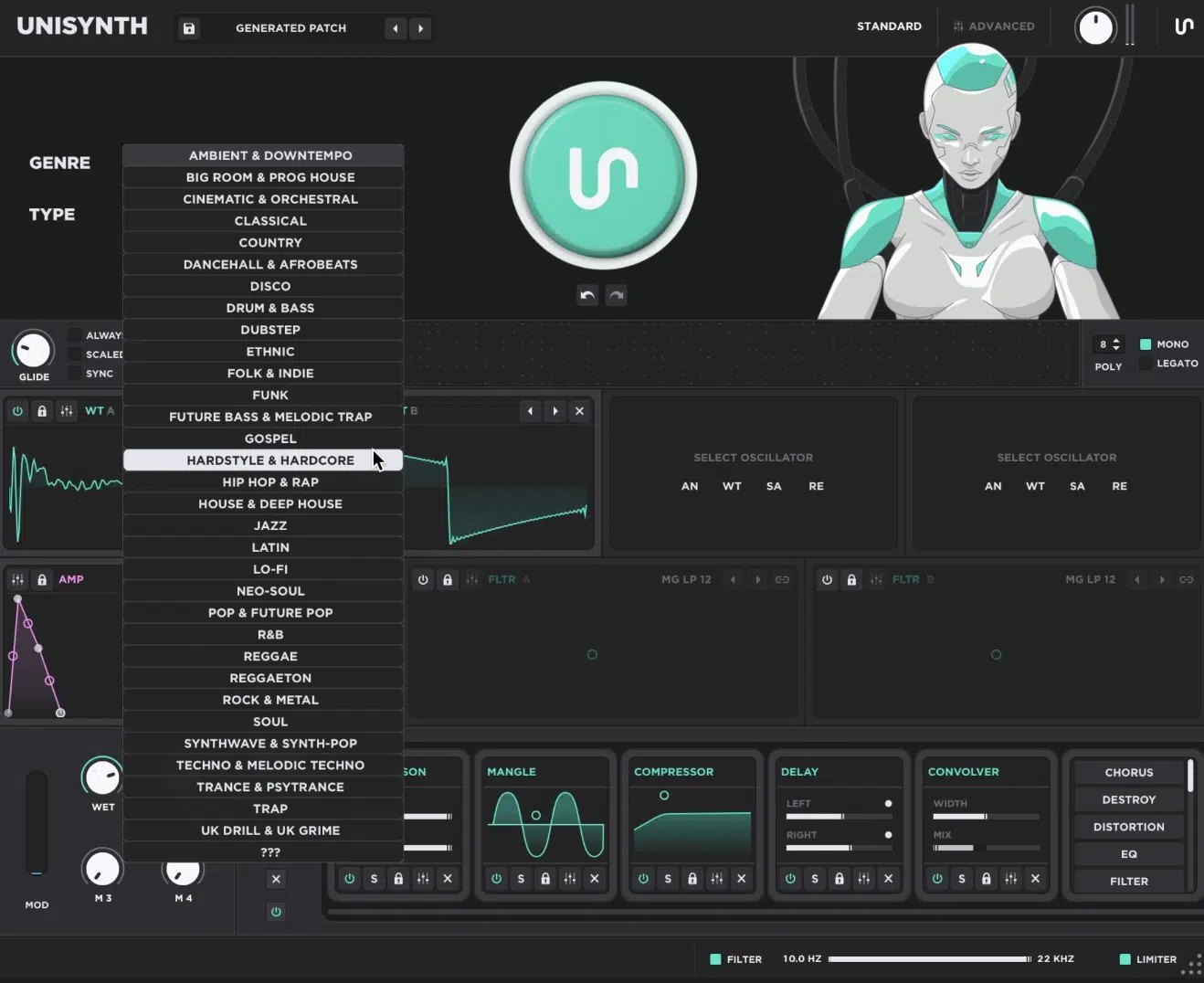
In Standard View, you can choose a genre and type, hit the Patch Generator, use Undo/Redo, and shape the sound with the oscillator, amp-envelope, and filter XY controls.
As well as work with the FX-Chain Generator, Mod Wheel, and 4 Macros all on one page, which makes the whole thing feel super on point when you’re trying to stay in the zone.
Then, once you want more control, Unisynth has all the heavy-hitting features and functions too, including:
- Drag-and-drop Modulation
- Control-click Modulation Assignment
- Fully-editable Modulators
- A Proper Matrix Tab
It really gives you that visual, hands-on feel that people love in Serum 2, while also giving you the full modulation overview thanks to its advanced Matrix when you’re looking to get especially surgical.
That balance is a big reason Unisynth Vs Serum 2 is such an interesting comparison, because Serum 2 still has the classic Xfer workflow people love that made the original famous.
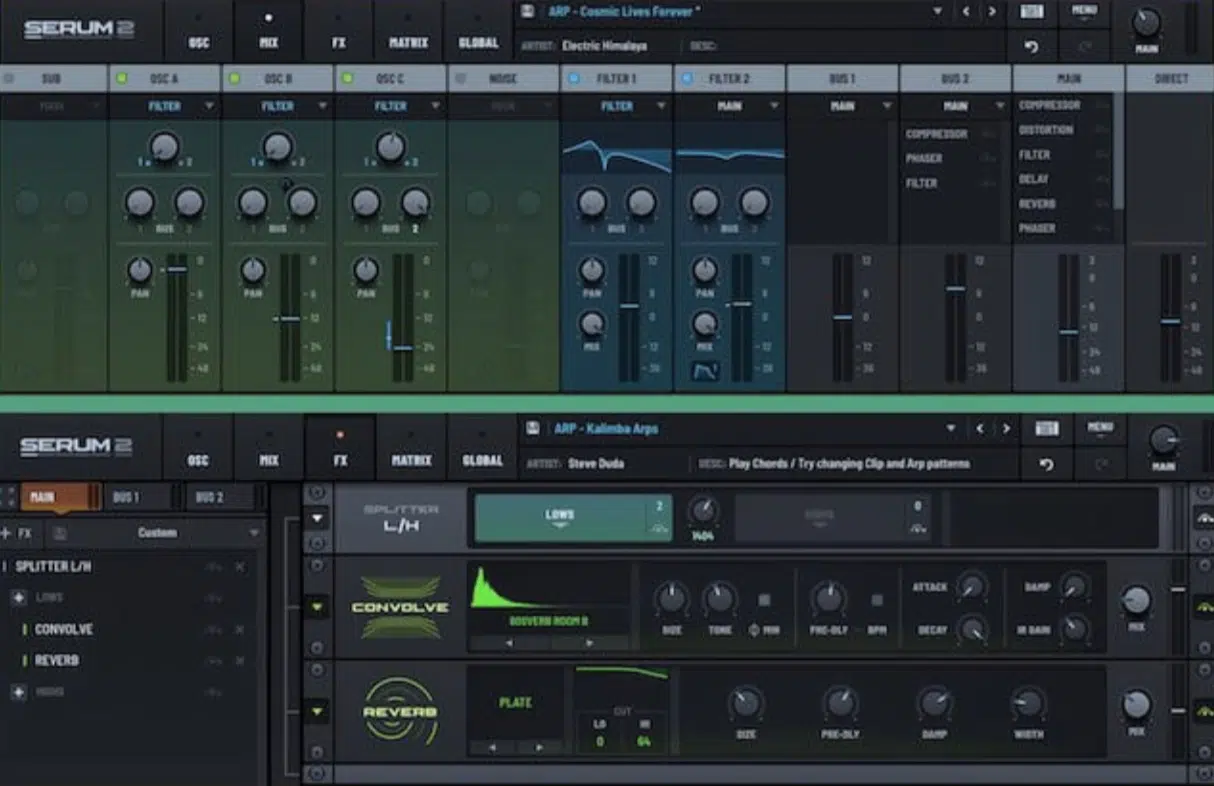
And to be fair, if you already know Serum, Serum 2 is still comfortable to move around in.
Especially now that it adds things like more oscillator modes, expanded modulation, and sequencing tools on top of that familiar layout, naturally.
The real difference is that Unisynth can help you as much or as little as you want…
You can let the AI handle a lot of the setup work, or you can go full sound-designer mode and tweak oscillators, filters, routing, modulation, and FX just as deeply once you have a solid foundation.
AI Sound Generation
AI sound generation only matters if it actually brings some value to the table, not if it just spits out random noise and calls it innovation.
That’s why Unisynth feels so different here, because it’s proprietary technology is so incredibly advanced that it can’t lose.
The main Patch Generator builds a new preset from the Genre and Type you choose first, so the result is already pointed toward the kind of role/style your track needs.
For example, if you set Hip Hop + Chord, Unisynth is not just guessing…
It’s generating around that lane, and that is a much better place to start than opening a synth cold and trying to force it into the session afterward, am I right?
And the important thing to understand is that this is not just a one-click party trick, because that one button is really sitting on top of more than 80 individual AI generators, including:
- The main Patch Generator
- The FX-Chain Generator
- One generator each for oscillators, filters, modulators, and FX units throughout the instrument
So, if the patch is close but the filter feels flat, one oscillator is not quite there, the modulation needs more movement, or the FX chain feels dry, you do not have to scrap the whole sound…
Simply regenerate those specific areas, and you won’t have to blow up the parts you already feel a connection with.
Serum 2, on the other hand, was not designed for this kind of workflow at all because it’s still a manual-design synth at heart.
And while it gives you a lot of power, it doesn’t offer anything close to genre-aware patch generation, role-based sound generation, or section-by-section AI assistance.
Also, it was built for true synthesists, so unless you have extensive knowledge of sound design, it’s extremely hard to get your hands dirty.
So, in Unisynth Vs Serum 2, this is probably the clearest category of the whole article…
I mean, Serum 2 is a deep manual synth of course, but Unisynth is doing something Serum was never even built to ever attempt!
Oscillators & Sound Engines
The sound engine is really where you find out how much range a synth actually has, because if the oscillators are limited, everything else downstream is trash.
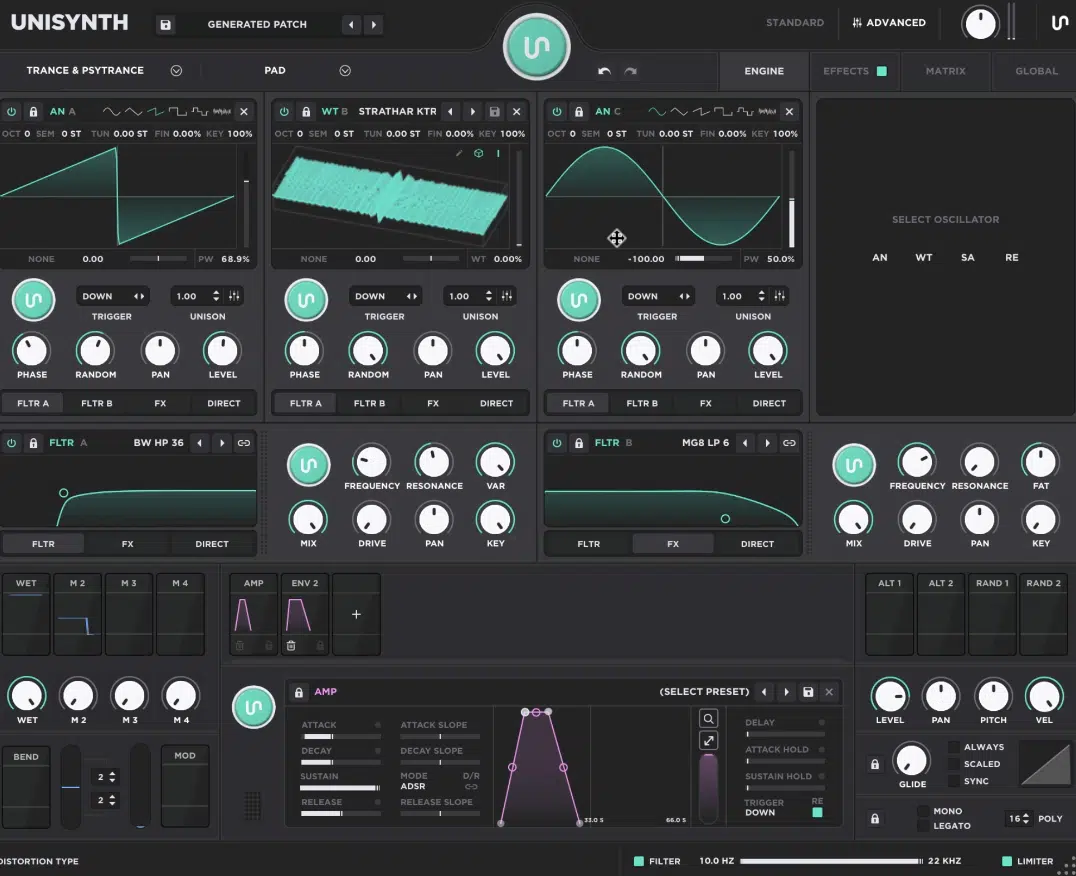
Unisynth gives you 4 independent oscillator types, and each one can run as:
- Analog
- Wavetable
- Sampler
- Resonator
This already gives it a very broad foundation before you even touch the filters, routing, or FX, to be honest.
The Analog side covers the classic shapes (sine, triangle, saw, square, pulse, and white noise) but also adds wave-shaping modes like Sync, Quantize, Bend, Squeeze, PWM, Flip, and Mirror.
Plus, source-based FM, PM, RM, and AM, so it goes way past a barebones analog-modeled oscillator, believe me.
Then the Wavetable engine gives you table selection, wavetable position, interpolation, 2D/3D display options, and direct access to the built-in wavetable editor.
Next up is the Sampler engine, which adds sample import, root-note setting, loop modes, start/end points, fades, crossfades, and sample-rate control.
Last but not least is the Resonator engine that brings in a more physical-modeling-style flavor for plucky, metallic, and left-field textures.
Serum 2 is still very strong here too, because it now offers three primary oscillators and multiple oscillator modes, including Wavetable, Sample, Multisample, Granular, and Spectral, which is a real expansion from the original concept.
So, if you are comparing pure mode names between Unisynth vs Serum 2, Serum 2 absolutely brought more to the table than Serum 1 did, sure.
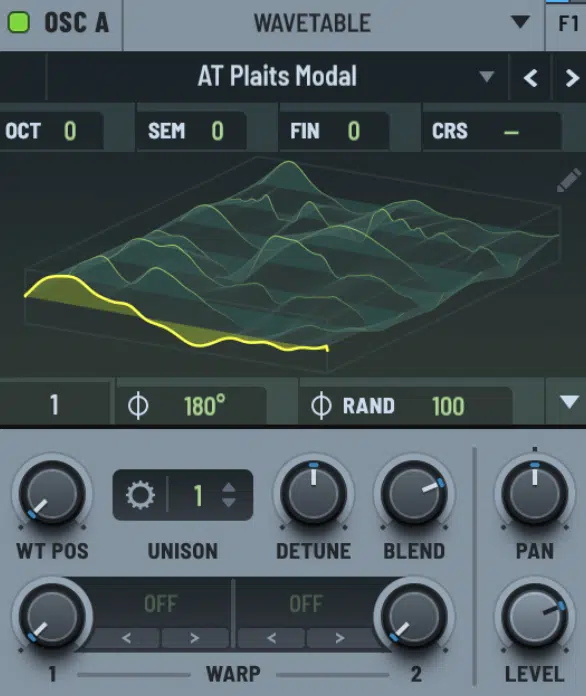
However, Unisynth still covers the same core musical sections that we use the most as producers 一 classic analog-style synthesis, wavetable movement, sample-based playback, and more experimental sound creation.
All while adding Resonator as its own unique lane.
And once you add the fact that every oscillator in Unisynth also ties into the AI system, the routing, the modulation, and the generators spread throughout the synth, your mind should really be blown.
The whole engine starts to feel less like a ‘list of modes’ and more like a crazy smart system built for actual production and sound design work, which you definitely have to consider when asking yourself Unisynth vs Serum 2.
So, while Serum 2 is still a monster when it comes to manual oscillator design, Unisynth feels like the synth that took that same level of engine ambition and wrapped it in a workflow that is more flexible all day.
Filters & Sound Shaping
Filters are a huge part of what makes one patch feel warm, sharp, hollow, smooth, aggressive, or just plain expensive.
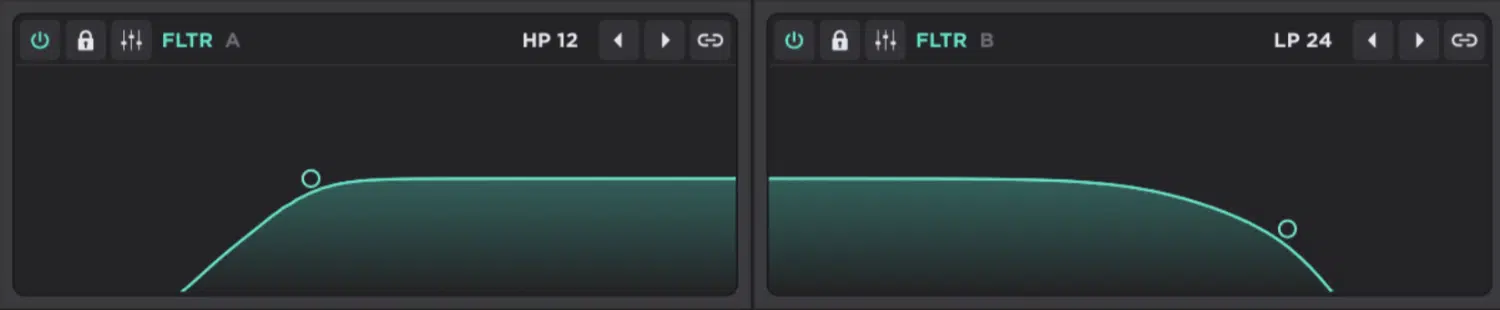
Unisynth goes very deep here because it gives you 2 primary filters that can each switch through a mind-blowing 95 options.
So, you’ll never be locked into the usual handful of modes.
Those 95 filter types cover a lot of ground too, including:
- Comb variations like Comb, Comb LP12, Comb BP12, and Comb HP12
- SVF shapes like LP, BP, HP, Notch, Peak, Bell, Low Shelf, and High Shelf in 12 and 24 dB forms
- MG and MG8 models, BW types, Vowel and Vowel 5
- Modeled VA flavors like Korg, Oberheim, Half Ladder, Diode Ladder, and Moog Ladder
Then you have a full control set on each filter as well (Frequency, Resonance, VAR, Mix, Drive, Pan, and Key) so this is not just cutoff-and-resonance territory…
It’s a much more serious shaping section where VAR changes behavior depending on the filter model, Mix blends dry and filtered signal, Drive adds distortion into the filter, and Key lets the cutoff follow the keyboard up to 100% 1:1 tracking.
For example, if you wanted a smoother pad in Unisynth, you could grab a warmer low-pass model and pull the cutoff down around 300 to 450 Hz.
Then, keep the Resonance around 10%, add a little Drive and let Key tracking keep the higher notes from getting too dull.
Or, you could flip to a Comb or Vowel model and suddenly be in way more left-field territory without touching the oscillator; totally up to you.
My personal favorite is doing both, either in parallel, series, or even a blend between the 2.
It also stays very hands-on, because each filter functions as an XY display where the X axis controls cutoff and the Y axis controls resonance.
Then you got Shift, which isolates cutoff, Cmd/Ctrl isolates resonance, and Option can grab the VAR control for supported models.
Side note, this really makes shaping them feel more immediate than just staring at rows of knobs.
Serum 2 is still very respectable on this side too, because it now has dual expanded filters, series or parallel filter routing, and direct graphic manipulation of cutoff and resonance.
It also adds new virtual analog filters on top of the broader filter workflow Serum users already know and feel comfortable with.
So, Serum 2 absolutely gives you a solid, modern filter section 一 but Unisynth just feels broader and more adventurous here.
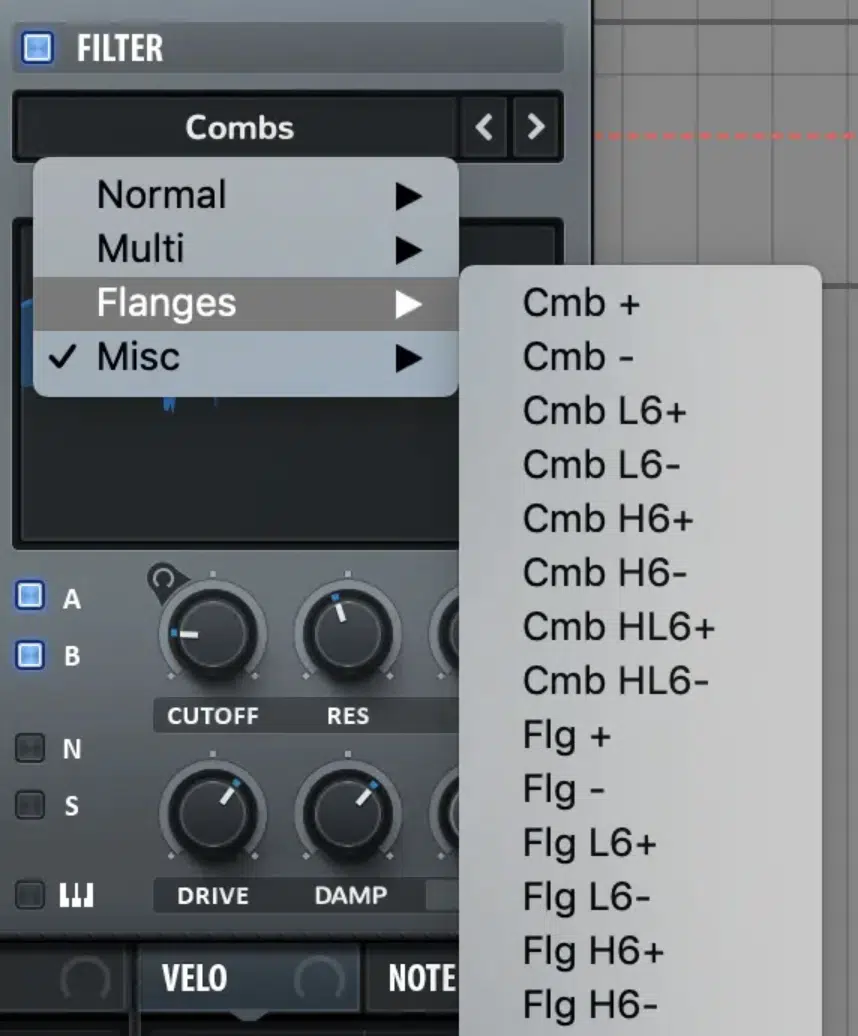
Especially once you factor in the raw number of models, the variety of families, the extra controls, and the fact that each filter also has its own generator.
And that is really the story in Unisynth Vs Serum 2 on the filter side…
Serum 2 gives you a refined dual-filter setup, while Unisynth gives you a much bigger filter playground that can go from clean and classic to weird and character-heavy very fast.
Routing & Signal Flow
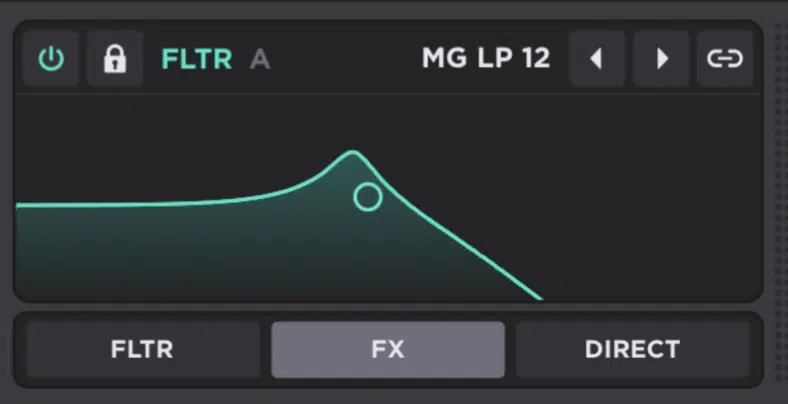
Routing can completely change how useful a synth feels, because once you can decide exactly where each layer goes, the whole patch opens up in a different way.
Unisynth gives you 6 routing mixers in total: 4 oscillator routing bars and 2 filter routing bars.
This means you are not forcing every sound source through one identical path, but can split, reroute, and recombine the signal in a bunch of sick ways.
At the oscillator level, each oscillator can go to Filter A, Filter B, FX, or Direct.
And keep in mind that Direct lane is super useful when you want something like a sub to bypass both filters and all effects completely.
This way it stays clean and solid underneath everything else.
The filters have their own routing too as we just touched up, because each filter can go into:
- The other filter
- The FX section
- Straight to Direct
So like I said, you can run them in parallel or in series.
There is even a built-in safeguard where only one filter can feed the other at a time so the signal path does not turn into a disgusting mess.
What makes it even cooler is that you can Option-click-and-drag any routing bar and use it like a real routing mixer.
So, one oscillator or filter can be sent to multiple destinations in different proportions instead of making you choose only one lane (which I freakin’ love).
NOTE: You could keep a Sampler transient mostly Direct, send a Wavetable layer into Filter A, push an Analog layer into Filter B, and still send a little bit of one oscillator straight to FX.
This is a really clean way to build sounds that already feel layered and halfway mixed before you ever leave the synth.
Now when it comes to Serum 2, it still has a very strong mixer and routing setup too, naturally.
Its new mixer lets you set routing, panning, mix, and levels for filters, balance the signal to filters and FX busses, manage main/direct outputs, and work across dual FX busses with drag-and-drop module order.
So, in Unisynth vs Serum 2, I would say Unisynth has the same kind of flexibility people love in Serum’s mixer…
But then it takes things to the next level by giving you more explicit filter-routing behavior and more ways to split sources across filters, FX, and direct output at the same time.
Plus, again, if you’re not sure where to go with a particular sound or patch, in every individual section of the synth, the AI generators got your back!
Modulation & Expression
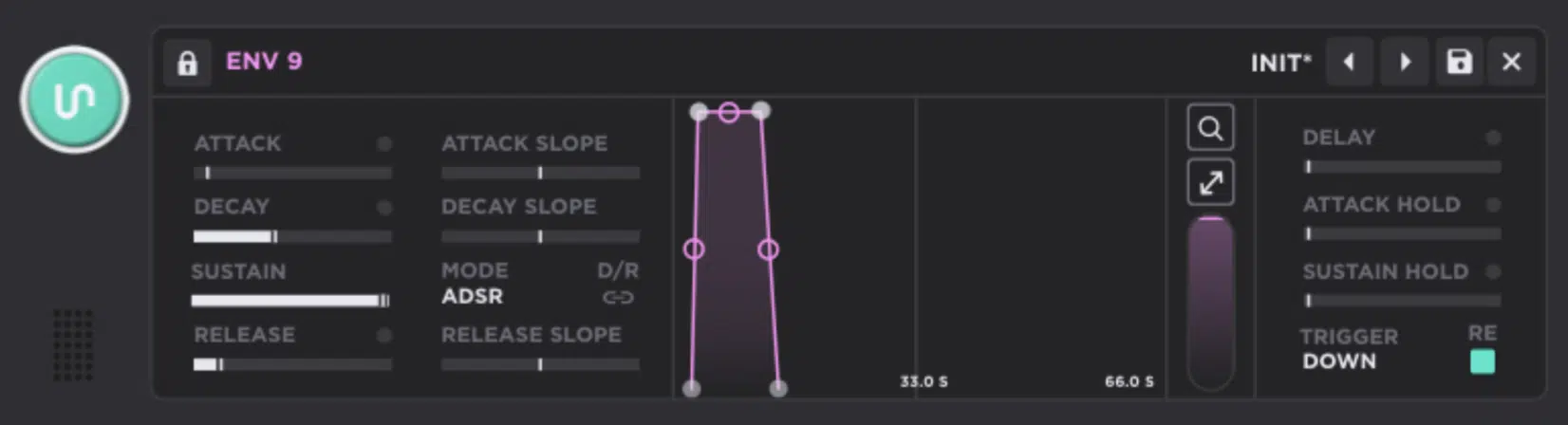
Modulation is where a synth stops sounding static and starts feeling alive, and this is another area where Unisynth is an absolute MONSTER.
It uses an easy drag-and-drop workflow for assigning modulation, but it also lets you control-click parameters to assign sources to destinations.
Or, allows you to manage things from a full Matrix, and even edit floating depth controls directly on the destination, so the workflow stays fast without hiding the deeper stuff.
The core modulator types are already strong on their own, because Unisynth lets you create Envelope, LFO, Chaos, and Tracker modulators…
And right there it’s already blowing Serum 2 out of the water since the Tracker Source is an uniquely expressive angle that is not part of Serum 2’s modulation lineup.
The Chaos mod source (inspired by Serum, but enhanced tenfold) is super useful when you want things to feel less stiff, because it can generate random movement in Step, Line, or Sine modes.
With controls for Rate, Delay, Rise, Bipolar/Unipolar, and multiple trigger modes 一 perfect for adding a little analog-style drift or unpredictability to any patch.
Then the Tracker source opens another lane entirely, because it can map note number, velocity, off velocity, MPE pitch bend, pressure, and timbre to almost any target.
It uses either a Curve or Stepped mapping mode, which is invaluable when you want specific key ranges or playing dynamics to change the sound in very controlled ways.
This can bring depth to your patch and even allow them to function with the expressive nature of an MPE Controller with a typical MIDI keyboard (or even a ‘QWERTY’ keyboard if all you’ve got access to is your laptop).
The LFOs and Envelopes go deep as hell too, with:
- Drawable LFO shapes,
- Node editing
- Curve handles
- Grid snapping
- Brush shapes
- Start Pos
- Loop Pos
- Direction
- Multiple Release Behaviors
- ADSR/ADR Envelope Modes
- Attack Hold, Sustain Hold, Delay
- D/R Link
- Trigger modes
As well as the ability to run up to 48 modulators simultaneously, with up to 16 modulators on a single destination.
On top of that, you still get the performance-side sources you would expect, like 4 Macros, Bend, Mod Wheel, Alt 1/2, and Random 1/2, and the Matrix organizes everything with Source, Curve, Amount, Destination, Polarity, Aux Source, Aux Curve, and Aux Amount.
So, needless to say, complex patches stay readable instead of turning into spaghetti.
Serum 2 is still no slouch here though, because it now gives you up to 10 LFOs, 4 envelopes, 8 macros, an improved matrix, and editable source curves.
Plus a lot of modulation power overall.
But, it still leans more on the familiar LFO-envelope-macro formula rather than offering the extra Chaos and Tracker lanes that make Unisynth feel more open-ended.
So, if Serum 2 is still excellent for classic modulation work, Unisynth feels like the synth that took that same level of depth and added a couple of genuinely useful mod sources.
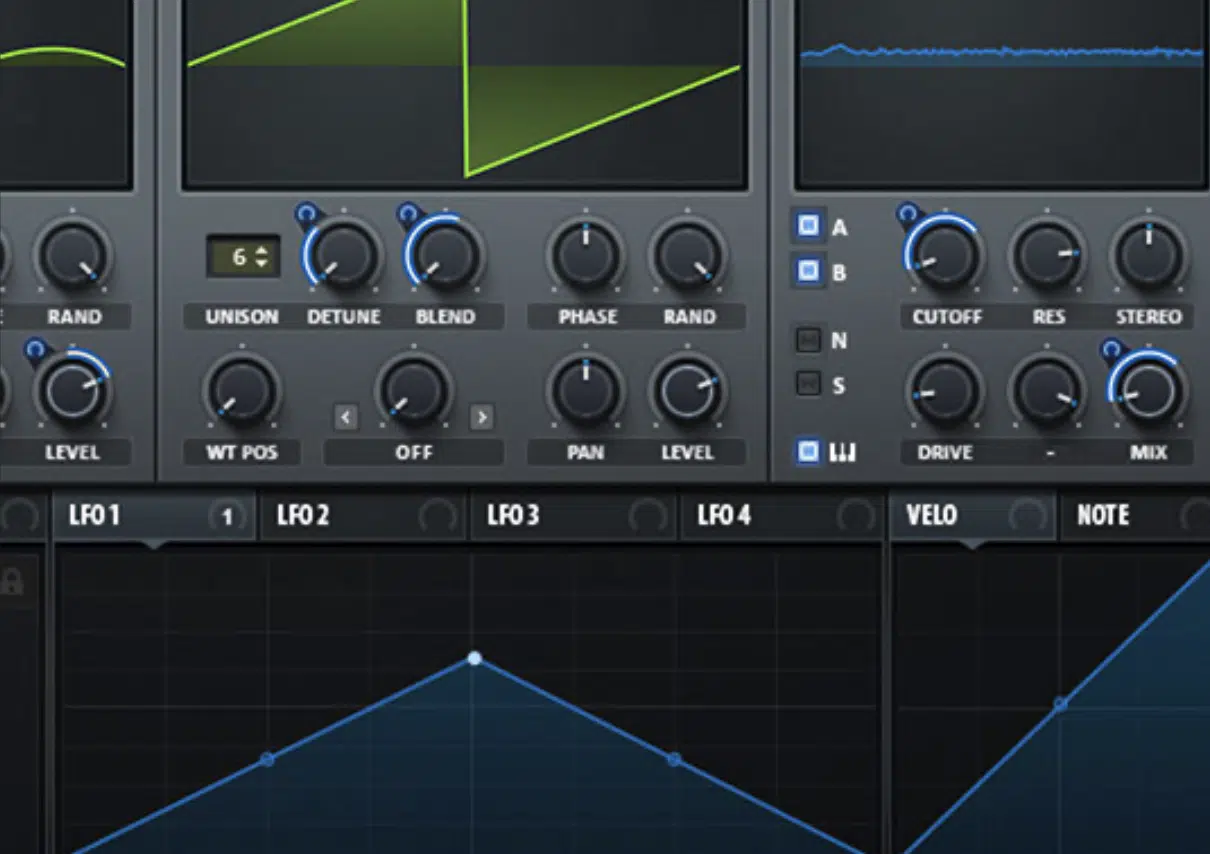
It can help you make patches that feel more human, more reactive, and a lot less expected (to really blow some minds!).
Besides, while Serum 2’s 8 macros are great, you kind of need to spend some serious time and have some extensive knowledge to actually know where/how to route them.
Unisynth’s AI macro generator, on the other hand, can handle that part for you, so even if you know what you’re doing, it’s an endless source of ideas and inspiration.
FX Rack & Sound Tweaking: Unisynth Vs Serum 2
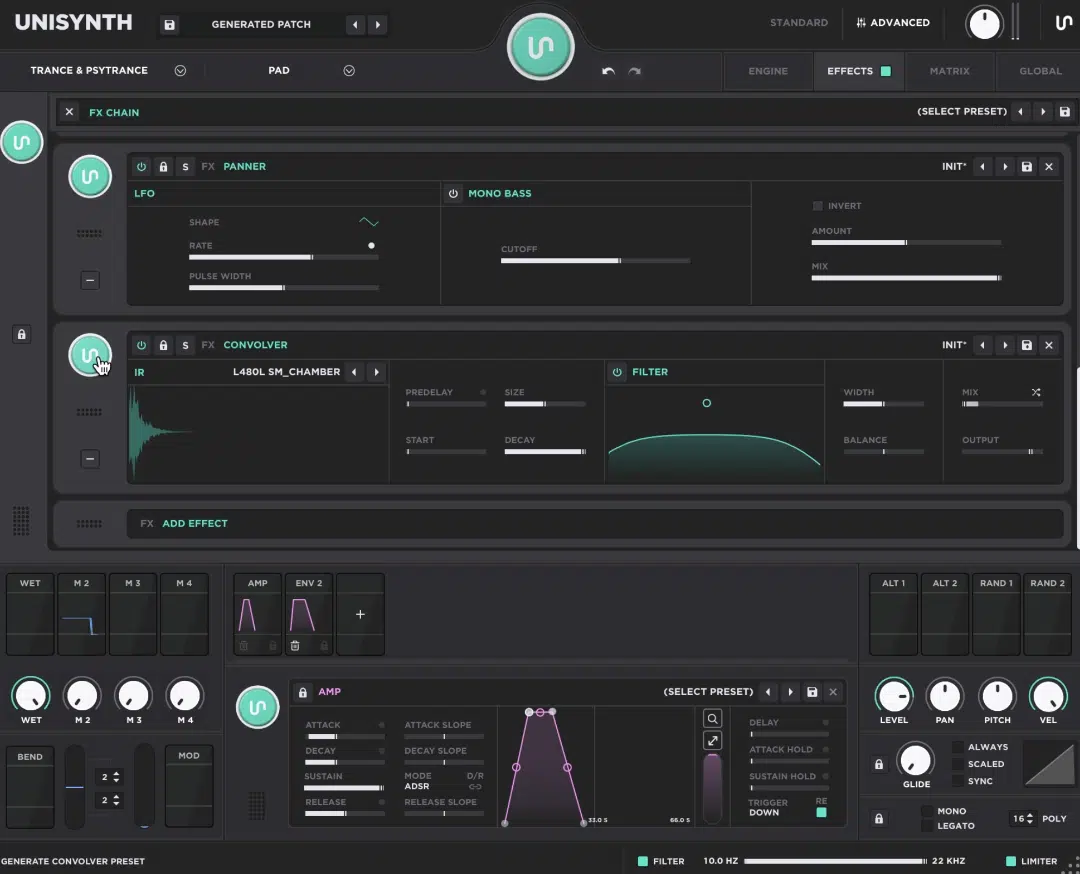
Once the main sound is laid down, the FX rack is what decides whether a patch still feels raw or whether it’s something you could proudly drop into a track.
Unisynth gives you a full FX chain that can hold up to 24 effects, and you can either build it manually with Add Effect or generate one instantly with the FX-Chain Generator
And let me emphasize that it’s a very different experience from the usual “load one reverb, one delay, and keep it moving” setup.
The chain runs left to right, effects can be dragged into any order, and each one can be bypassed, soloed, locked, swapped, preset-browsed, saved, removed, collapsed, or fully expanded in Advanced View.
It really feels like a proper rack rather than a tiny afterthought.
The actual lineup is stacked too:
- Delay and Reverse
- A multitude of distortion tools like Destroy, Distortion, Mangle, Preamp, Redux, and Tape
- Dynamics tools like Compressor and OTT
- EQ and an FX Filter
- Modulation effects like Chorus, Flanger, Phaser, Super Unison, Tremolo & Vibrato
- Spatial tools like Convolver, Panner, Reverb, and Space; plus Utility and Width
And these are not throwaway versions either, believe me, because the Delay alone has its own LFO, stereo Left/Right times, Link, Offset, Ping Pong, Feedback, FB Balance, an internal feedback-loop filter, Width, and Additive mode.
As well as a Warmth section with Soft, Fuzz, Tape, and BBD styles.
On the flip side, the Distortion section includes pre/post filters, multiple slopes, and a long list of distortion types, and Tape adds noise, smear, warble, and motor speed.
For example, if a bass is already close but still feels too polite, you can throw on Distortion, tighten it with the post filter, and follow it with OTT.
Then, use Width or Utility to control the stereo image and mono-bass behavior 一 all without ever leaving the synth itself.
Switching gears, Serum 2 now offers 13 effects, 3 splitter modules, dual FX busses, drag-and-drop module order, multiple instances of a single effect, rack and module presets.
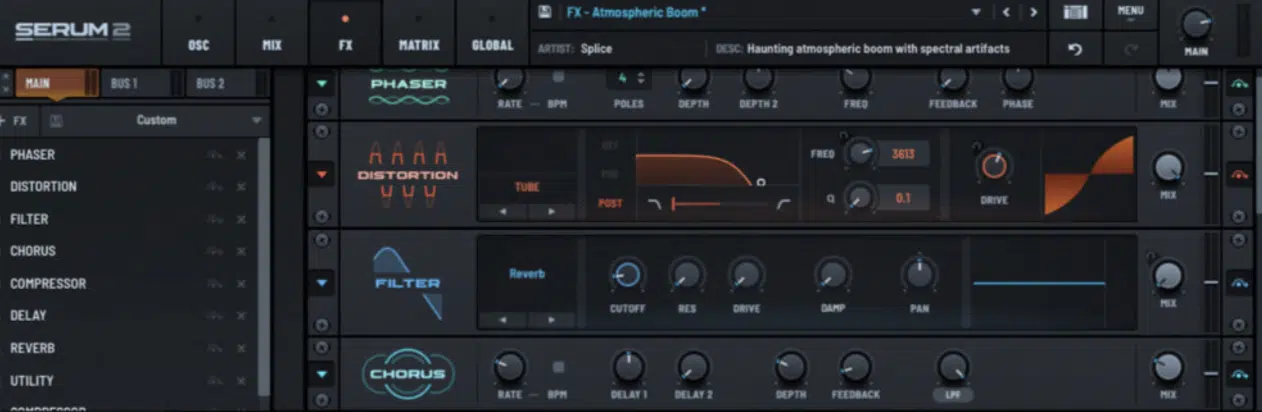
And new or enhanced processors like Bode, Convolve, upgraded Delay, improved Distortion, and three new Reverb types.
So Serum 2 definitely made real progress here, but Unisynth still feels more complete on the finishing side…
The rack is bigger, the effect spread is broader, the controls go deeper, and the whole thing is tied directly into the AI workflow, the generators, and the modulation system.
Besides, if you don’t want the AI engine to generate the whole rack but rather just help with settings on a particular effect, its generators allow for that granulator control too.
Wavetable Editing
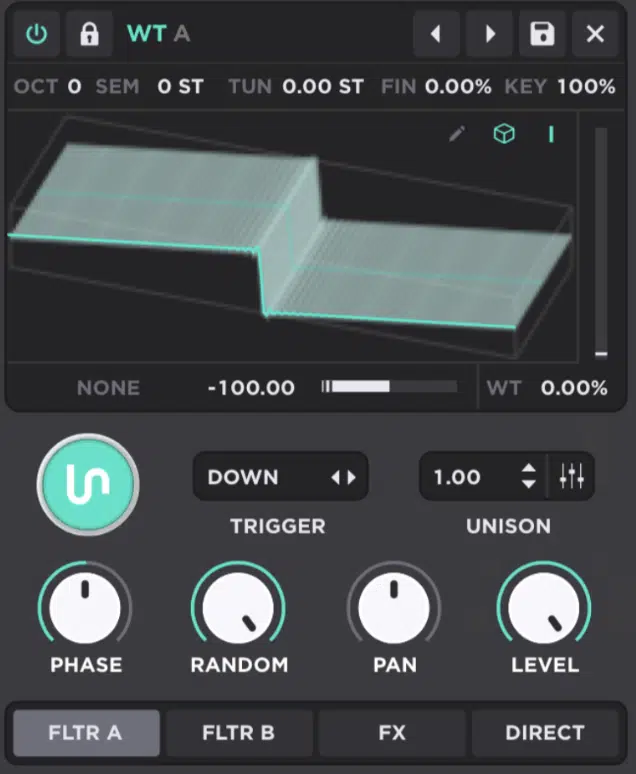
Now let’s get into one of my favorite subjects: Wavetable editing.
It’s one of those determining factors that separate a life-changing synth from one you forget about in a week.
Once you can change the actual source material, you are not just tweaking tone anymore — you are redesigning it from the inside out.
Unisynth’s built-in wavetable editor lets you create or edit tables right inside the plugin.
You can add or remove frames, click any frame to jump the wavetable position instantly, and drag frames around to completely change the scan order with such ease it’ll make your head spin.
Then it gets even more serious with the FFT editor, where the top half controls the amplitude of each harmonic and the bottom half controls phase.
And you also get editing shortcuts like hover-to-read values, click-to-set, drag-to-draw, right-click for fine control, Shift-click to move all bins above the selected one, Command-click to isolate a slider, and Option-click for line drawing.
On top of that, Unisynth comes packed with:
- Generate options like Clear, Sine, Saw, Square, Noise, Triangle, and Pulse
- Process tools like Normalize, Revert, Invert, Remove DC, Fade, Overdrive, Fold, Bit Quantize, Sync, Amplify Octaves, Balance Odd-Even, and Set Slope
- Morph modes like Crossfade, Spectral, Zero-Phase Fund, and Zero-Phase All
Yes, you still get Sort functions that can reorder the full table by fundamental magnitude, odd-even balance, spectrum slope, spectrum peak, and spectrum average.
Or, just randomize and revert the table, which is wild because the order of the frames alone can completely change how a wavetable feels once it is moving.
Serum 2 is still very strong in this category, because its whole identity was built around being able to create, import, edit, and morph wavetables…
And version 2 adds things like Smooth Interpolation for near-infinite frame positions and dual warp options across the main oscillator types.
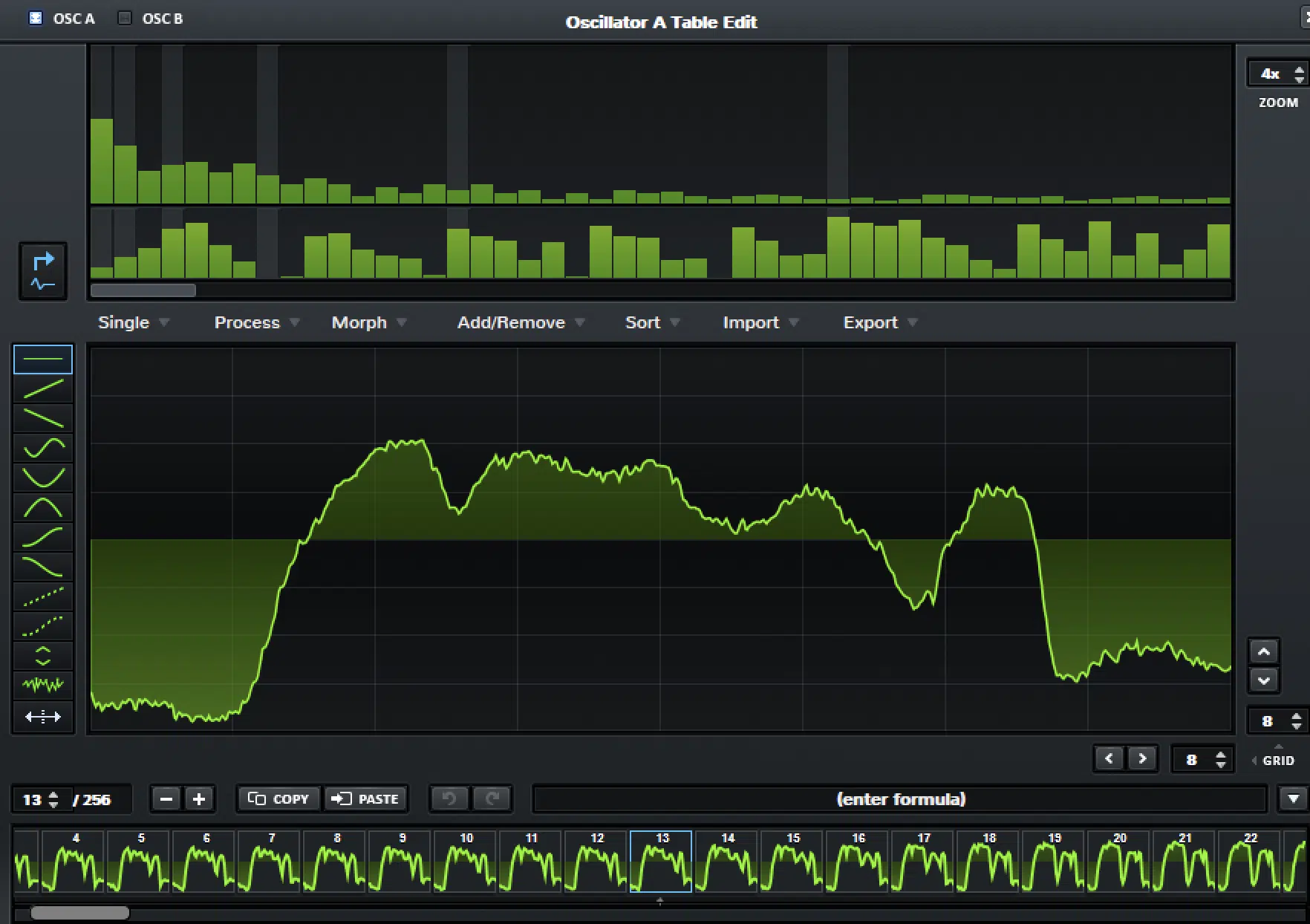
So, this is not me pretending Serum 2 is weak here, because that would kill my reliability…
However, Unisynth feels more extreme with the actual table editing side thanks to how much direct frame, harmonic, morph, process, and sorting control it gives you in one place.
Why? Because again, Unisynth uses Serum’s wavetable editor, but in a much more revolutionary way, taking it up a level.
And in the bigger Unisynth vs Serum 2 conversation, that matters a lot, because Serum 2 still gives you a legendary wavetable workflow, while Unisynth feels like it took that idea and pushed it further into full-on sound-design-lab territory.
Presets & Expansion Tools
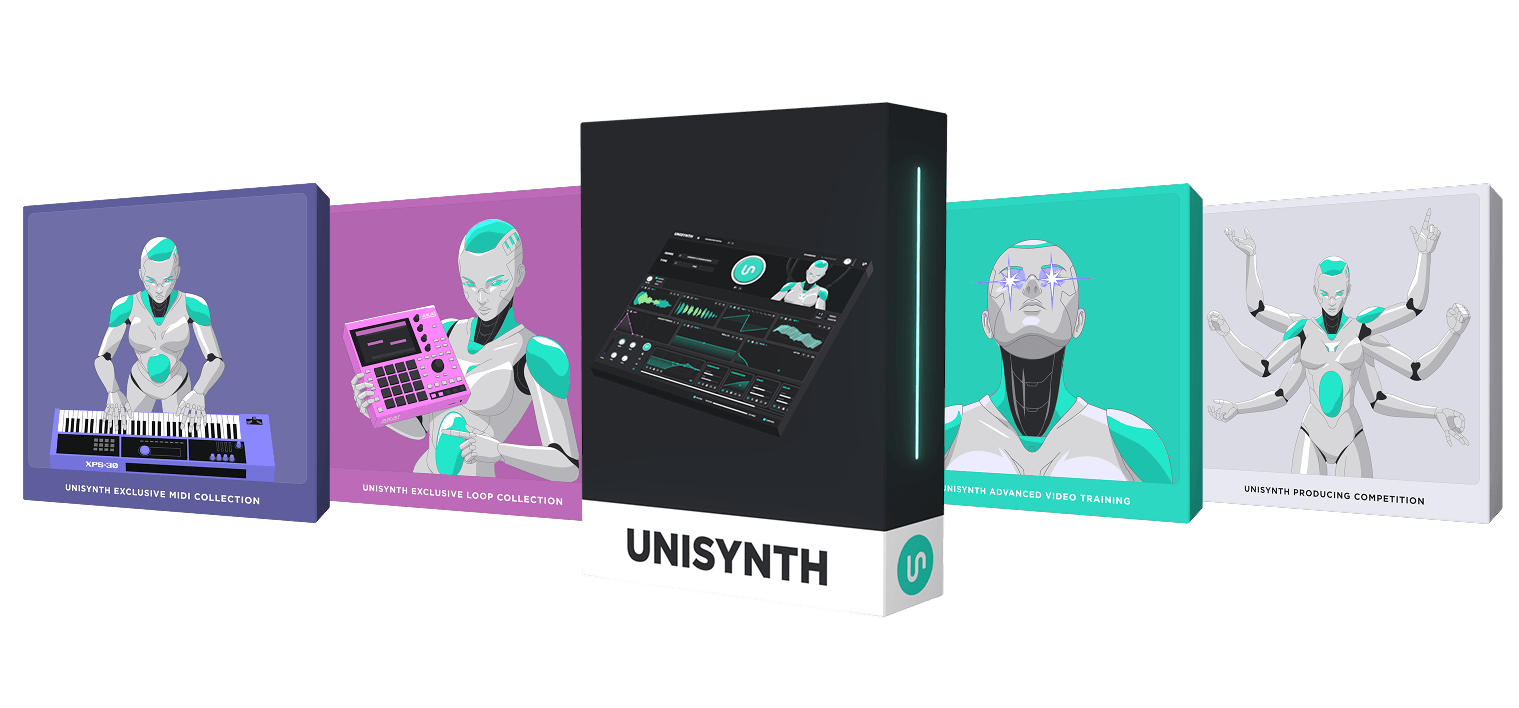
Preset tools might not sound flashy on paper, but once you are actually using a synth every day, they end up mattering A LOT.
A great patch is only as useful as your ability to save it, organize it, recall it, and build on it later, and Unisynth has you covered on all fronts.
You can save a patch from the Preset Selector, browse everything you have already made from the preset menu, and step through sounds one by one with the arrow buttons when you want to compare a few versions quickly.
It also goes a step further with Expansion Pack exporting…
If you name presets using the pack name/preset name format, Unisynth automatically groups them into a pack folder, supports deeper subfolder organization, and lets you export the whole thing as a proper expansion.
And the really important detail there is that any samples, wavetables, or impulse responses used in those presets that are not part of the factory library get collected and saved into the pack too.
Meaning, your custom bank does not fall apart later because it is missing the source assets (sick, right?).
Serum 2, on the other hand, has over 626 presets and 288 wavetables and an enhanced preset browser.
Plus it lets you load factory presets and artist packs, save your own presets, and even flip through presets faster by hovering the menu and using the mouse wheel.
But this is where Unisynth vs Serum 2 starts to split in a really obvious way, because Serum 2 is still fundamentally a preset browser and manual editing workflow.
However, Unisynth is genre-specific, can generate original presets from scratch, and can even create fresh variations of a patch through the main generator and all the smaller generators spread around the synth.
So, if you just want a huge preset library alone, Serum 2 absolutely gives you that.
But, if you’re like me and want a synth that helps you build your own library faster and turn it into organized expansion packs cleanly, Unisynth has a much more forward-thinking workflow.
CPU, Speed & Daily Use
When you are using a synth every day, the little workflow details matter almost as much as the raw sound, believe it or not.
And when it comes to speed, it’s not just about how fast a plugin opens, but how fast it gets you somewhere useful without killing your inspiration/flow.
That is one area where Unisynth feels very practical and conscious between Standard View, the Patch Generator, the FX-Chain Generator, Undo/Redo, and the fact that the key controls are all on one page.
It’s really built to keep sessions moving instead of pulling you into menu hell too early.
You’ll also get direct performance-management tools, like sample-rate quality settings — Normal (44.1 kHz), Good (88.2 kHz), Ultra (176.4 kHz), and Extreme (352.8 kHz).
NOTE: Make sure to use Normal while working and switch to ‘Good’ or higher when you’re bouncing to save even more CPU.
On top of that, you can disable the Standard View generator animation on older machines, and the global quality settings intelligently adapt to your DAW sample rate instead of oversampling harder than necessary just because a bigger number looks impressive.
Serum 2 still works well in daily use too, especially if you are already fluent with the interface.
It gives you nice quality-of-life stuff like a stronger browser, comprehensive undo/redo, and support for VST3, AU, and AAX with over 626 presets ready to go.
But, we all know how taxing it can be on resources, which is why Unisynth was designed to work a little smoother on machines that may not be running with the highest, newest chips.
Bottom line, when it comes to day-to-day use, Unisynth feels faster and gives you more help up front, more ways to control CPU and workflow behavior, and a much easier route from “I need a sound” to “this patch is smacking.”
Final Thoughts: Why Unisynth Takes the Crown As the #1 Synth Plugin

Serum is hands down incredible, and it has absolutely earned its place, there’s no denying that (my credibility is solid).
However, it is still the kind of synth where you only get out of it what you put into it.
Unisynth, on the other hand, feels like it was designed to give you back WAY more than you put in every single time you open it.
It can hand you a fire starting point, help twerk all the weak spots, and still give you access to professional sound design tools every step of the way.
That is what makes Unisynth vs Serum 2 feel less like a simple old-vs-new battle and more like a ‘look at two very different philosophies.’
Serum 2 is still built around expert-driven manual creation, and Unisynth is built around expert-level depth with a much smarter assist system.
And the best part is that the AI in Unisynth is not there to replace you, but to remove the dead time, blank-screen moments, and trial-and-error that usually slows the whole session down.
So, whether you want to generate a full patch, regenerate one oscillator, refresh a filter, rebuild the FX chain, or export your own expansion pack after the fact, Unisynth is key.
It keeps acting less like a plugin with AI added on and more like a new kind of synth that will literally be the gold standard for producers and sound designers of all levels.
The biggest win here is not just that Unisynth can do more, but that it makes all of that extra power easier to reach without flattening the depth or dumbing things down.
When you put all of that together, it is pretty hard not to look at Unisynth as the most revolutionary AI synth plugin in the world right now.
And, when it comes to Unisynth vs Serum 2, it’s hands-down Unisynth that ultimately takes the crown.
Until next time…
Download The #1 Synth Plugin In the World




Leave a Reply
You must belogged in to post a comment.