




Unisynth is one of the most mind-blowing, game-changing AI synth plugins in the entire world, hands down.
It’s already making waves for its insane depth and genre-specific generation because the insanely epic sounds it generates (and inspiration it brings to the table) is unmatched.
Plus when it comes to customization, there’s no synth better 一 how deep you can get on every level will blow your mind.
So, in today’s article, I’m going to be breaking down some sick Unisynth tips (part one) to help you take things to the next level, like:
- Genre-specific generations ✓
- Smarter macro control ✓
- BPM & context-aware patch creation ✓
- Regenerating the FX rack ✓
- Selective patch regeneration ✓
- Using Unisynth as a true collaborator ✓
- Locking in ideal parameters for any situation ✓
- Flipping one patch with endless variations ✓
- Most Inventive FX rack hacks ✓
- Building thicker, bigger & lusher sounds ✓
- Hidden XY pad sound shaping secrets ✓
- Unheard of modulation tricks ✓
- Master section hacks ✓
- Hidden advanced features ✓
- And so much more ✓
After learning these Unisynth tips, you’ll be dying to download it and get to cooking in the lab ASAP.
You’ll be able to make decisions faster, generate sounds that rival the best in the business, and successfully shape patches with way more intention with just a few clicks.
Plus learn how to get more out of every generation and customize sounds on a much deeper level.
In fact, you’ll be able to push your creativity further than was EVER possible before Unisynth hit the scene (no exaggeration!).
So, if you’re ready to get crazy, let’s dive in…
Table of Contents
- Unisynth: The #1 AI Synth Plugin EVER
- 17 Exclusive Unisynth Tips & Insights
- #1. Genre-Specific Generations
- #2. Let The Macros Do The Heavy Lifting
- #3. Regenerate The FX Rack Independently
- #4. Don’t Regenerate The Entire Patch
- #5. Lock In What You Love
- #6. Separate 808s From Real Basses/Other Synth-Bass Types
- #7. Build Bigger Sounds With Drag-And-Drop
- #8. Use The XY Pads For Faster Sound Design
- #9. Push Modulation Much Further
- #10. Use The Master Section Like A Pro
- Unisynth Tips: Final Thoughts
Unisynth: The #1 AI Synth Plugin EVER
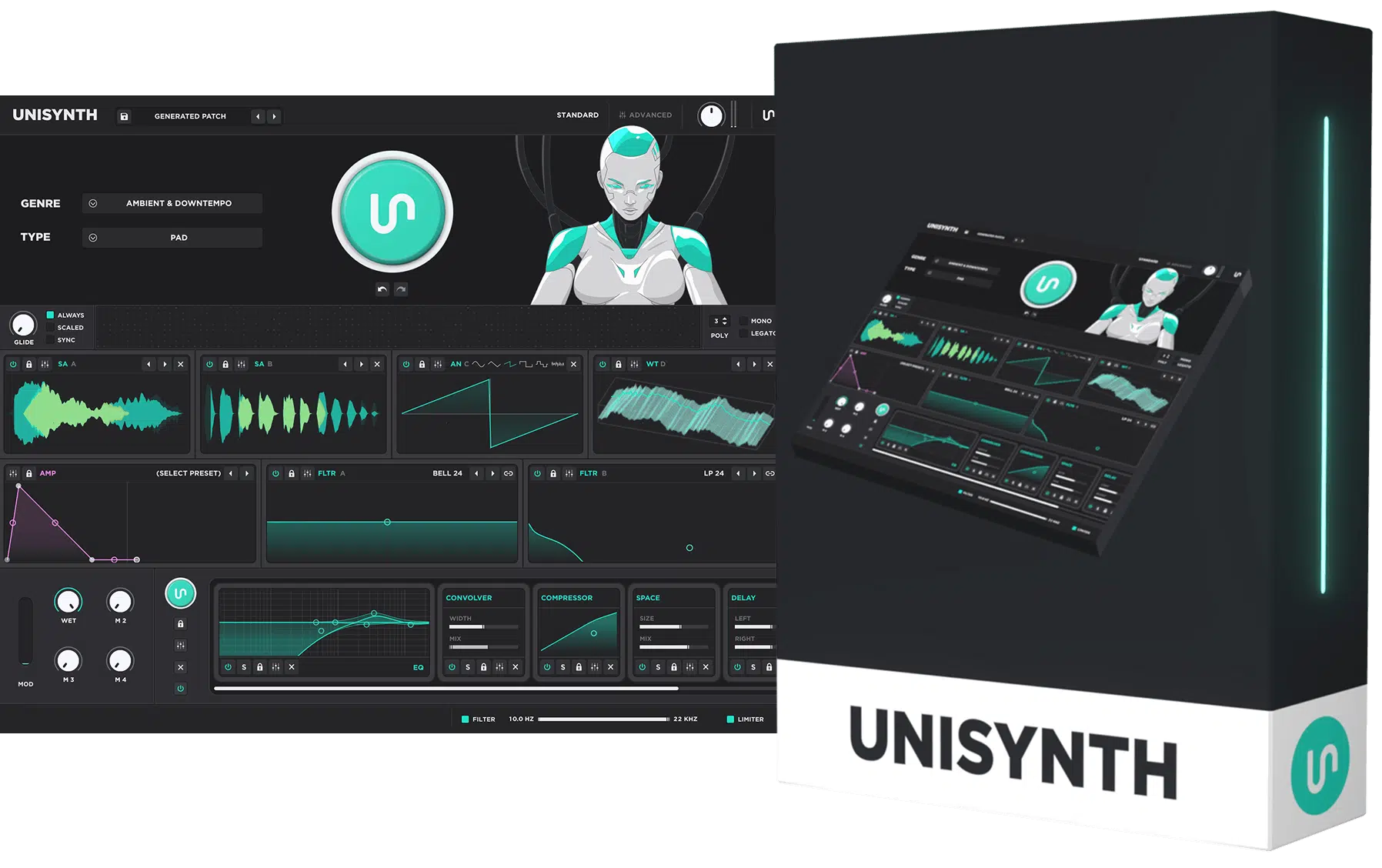
Unisynth is the first (and only) AI synth plugin that has a generative genre-specific engine一 having people going bananas due to its depth and capabilities.
It changes the entire production process, from how you start a track to how you refine the final finishing touches.
And because of it’s generative AI engine, you don’t have to waste any time aimlessly digging through preset banks for days trying to find that perfect sound.
Simply select one of the 32 genres and 6 sound types, generate a patch in one click, and start shaping the back end before you even leave Standard View.
And, better yet, it’s aware of your session’s tempo too, so the sounds you’ll be getting instantly are context aware and feel more lined up with your track (which is unheard of).
Then, once you’re ready to dive into the deep end, Unisynth opens up into a cutting-edge hybrid synth with its included:
- 4 oscillator types
- 95 filter options
- 6 routing mixers
- Up to 24 FX units
- Up to 48 simultaneous modulators
Meaning, you’re not giving up one ounce of depth to get the fastest results, so you don’t have to worry about that at all.
Going further, each oscillator can run in Analog, Wavetable, Sampler, or Resonator mode too, so you’re able to endlessly switch between synthesis styles and stack wildly different sound sources together.
Plus, load your own samples, wavetables, and build patches that can go from super clean and simple to more detailed and experimental than ever thought possible without ever needing to read the manual.
And with its massive library of 350+ wavetables, 1,250+ samples, and 80 AI generators across the instrument, you can regenerate or reshape any section of the synth without rebuilding the whole thing every time (we’ll break that down in a minute).
At the end of the day, Unisynth is hands down the most forward-thinking synth plugin in the entire world, hands down.
It not only gives you insanely fast, genre-specific sound generation, but has the ability to go absurdly deep into patch customization like never before, without any sound design experience needed.
17 Exclusive Unisynth Tips & Insights
Now that you know what Unisynth is all about, it’s time for the fun part: tips, tricks and techniques (for both beginners and professionals). The following Unisynth Tips are going to show you just how game-changing it actually is. If you’re thinking that Unisynth is just about banging out sounds and calling it a day… get ready to have your mind BLOWN.
#1. Genre-Specific Generations
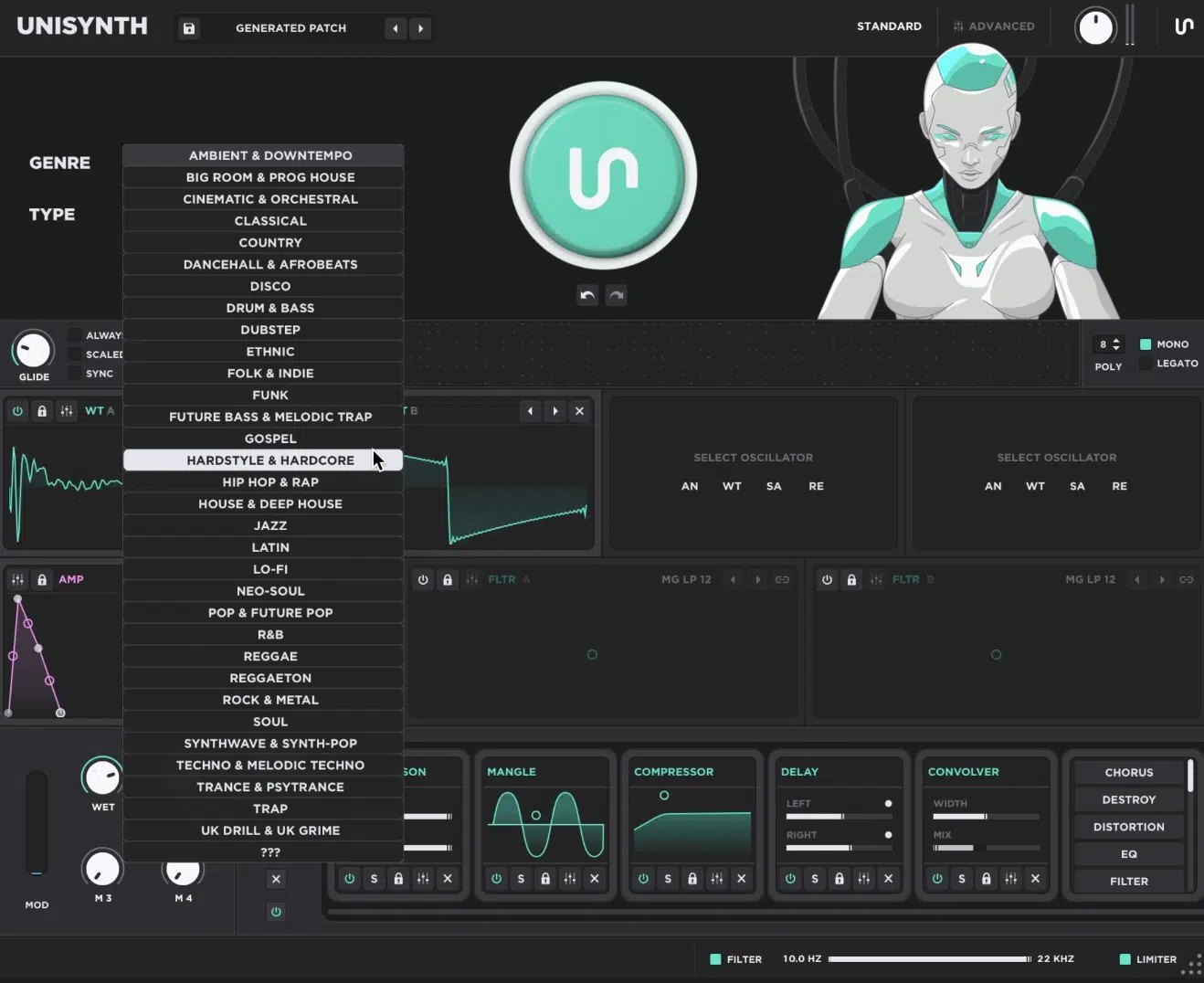
Let’s kick off these Unisynth tips with one of the most fundamental inclusions it has to offer: genre-specific generations.
Now that might not sound like a big deal, but believe me, the fact that it isn’t just generated by sound type, but rather sound-type AND genre is invaluable.
For example, when you ask for a patch, you’re already guaranteeing you’ll get one in the specific genre-type you specified (again, 32 genres total).
If you generate a Bass for a dark Hip Hop beat, the patch should already lean heavy, simple, and more locked into that low-end pocket.
It won’t be bright, fizzy, and bouncing around like it belongs in a 128 BPM EDM drop.
Then, if you switch over and generate a Chord patch for a more melodic take, the sound can start off wide, smooth, and more harmonically rich 一 not stiff, dry, and obviously built for a completely different genre.
I mean, come on people, a EDM lead should usually feel tighter, sharper, and more urgent, while a Lo-Fi pad should feel softer, hazier, and more relaxed.
On the flip side, a House chord should normally come out with more bounce, more polish, and a more deliberate rhythmic feel.
You’re no longer dragging one random preset through 12 filter tweaks, 3 envelope changes, and a brand-new FX chain just to get it somewhere close to what you want.
Better yet, all of that happens before you ever touch the 4 macros, the FX rack, the filters, or the envelopes — it’s already baked into the first generation.
So, if you’re already 20 minutes deep into a record and desperately need a pad that sits under a mellow vocal (or a bass that sits under hard drums without sounding overcooked), Unisynth has your back right off rip.
And once the starting point already feels like it belongs in your unique track, the job stops being “fix this preset” and starts becoming “siiiick… now let me push this further.”
#2. Let The Macros Do The Heavy Lifting
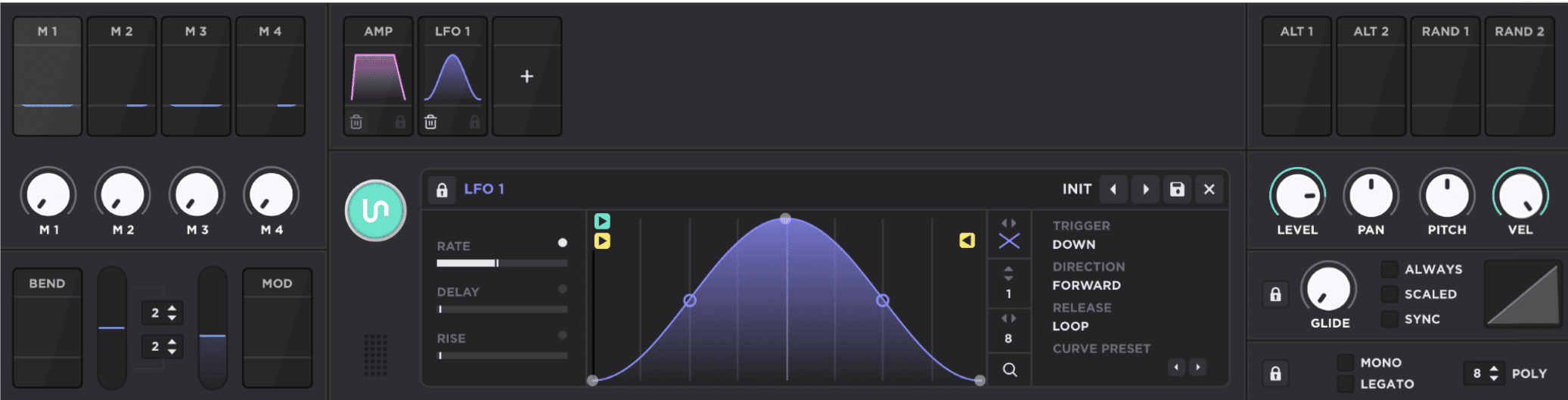
Every new generation in Unisynth gives you 4 macros, and I’m not talking about the usual throwaway controls that barely do anything worth touching.
Instead, those 4 macros adapt to the patch and the genre at the same time, so the controls already feel tied to the sound sitting in front of you.
For example, if you generate a more piano-like patch, one of the macros might literally say “Sustain” underneath it…
This instantly tells you right away that it’s acting more like a musical performance control than just some vague tone knob.
Plus, it’s not just increasing the sustain or envelope setting, it’s doing so much more within the synth and the matrix.
Things that only a sound designer like myself would have the knowledge to do.
And another thing that I recommend is, once you’re done, do some investigating to see how it’s achieved in order to enhance your sound design skills for the future.
Like I said, Unisynth has a text label under each macro so you know exactly what each one is doing instead of twisting 4 mystery knobs and hoping one doesn’t wreck the patch.
Then, if the sound itself is already hitting but the macro behavior is not giving you the right angle, you can just regenerate the macros and boom…
A whole new set of assignments based on both the patch and the genre you selected.
So, one version might lean more toward sustain, width, tone, and movement, while another feels better for aggression, expression, tension, or space.
And since the text updates every time you can see precisely what changed, which is perfect when the oscillator tone and FX are already there but the patch still needs a faster way to feel more playable, more animated, or more personal without rebuilding anything major.
PRO TIP: If you like how a certain macro has affected the sound but don’t need to continuously adjust it further, there’s a fun trick I personally use.
Once you regenerate the macros, the parameters that were altered are now baked into the patch, so it can really be used as a super quick modification tool.
And, a way to tweak many parameters at once many times over 一 altering parameters only accessible in Advanced View without ever leaving the Standard View.
Then those settings that were altered by the previous macro assignments are now part of the patch forever! (think of the possibilities).
And yes, you can do/repeat that many times over…
So, feel free to go crazy adjusting a wide variety of parameters on the synth and modifying the settings deep within the preset without ever touching anything other than the 4 macros and the macro regeneration button.
Give it a try and just see how unrecognizable you can make a patch and how many settings you can modify with the macros alone. You’ll thank me later.
You won’t just be reshaping the feel of your sound in seconds, but creating entirely new-sounding patches just by refreshing the 4 macros.
No more need to deal with oscillators, filters, envelopes and effects all day just to end up super frustrated in the end.
#3. Regenerate The FX Rack Independently
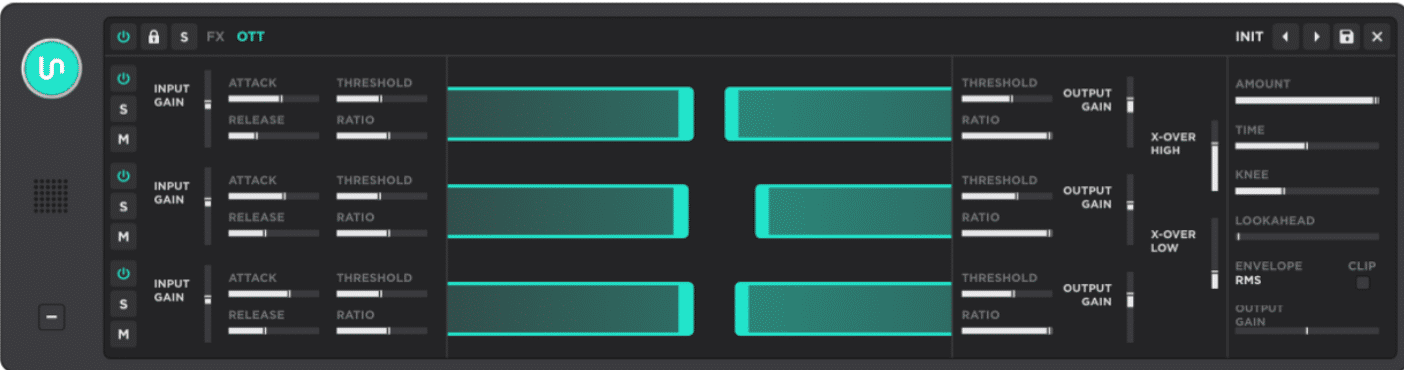
Unisynth has a completely separate generation button just for the FX rack, so if you want ultimate sound design freedom, it does NOT disappoint.
Even though the main generator already builds an FX chain for the patch, you can still head over to the rack and regenerate any effect you want to change on its own.
And yes, that extra FX generator is intelligently deciding the best effect setup and settings based on the genre, BPM, and the patch type already selected.
Meaning, once you have the patch you want to work with, you can even go in after and change the genre so you can give it a hybrid feel.
For example, if you generated a dope piano with the Jazz genre selected but it sounds a little dry or too classic in the FX section, you can switch it to Hip-Hop, Trap, or EDM before regenerating the FX section…
Now its FX chain is optimized for that genre.
Mind you, this can be done at any stage of creation, with any setting, so you can always get the heart of your sound perfect (like a classic piano) and then select another genre and regenerate the modulation.
One click might tighten the patch up a bit, add polish, or push the tone in a cleaner direction, then the next click might make the same patch feel almost like a new style.
Whether it’s wider, dirtier, splashier, more controlled, or more dramatic all depends on what the engine decides fits best (and trust me, it makes great decisions).
Sometimes it’s not just a subtle change either, because the rack can get rebuilt in a way that makes the patch feel like it took on a completely different identity just from how the effects were reimagined around it.
NOTE: And because the main generation already gave the patch its first FX chain, this second generator feels more like a “go deeper” button than a “start over” button, which is a very smart way to work.
Another one of the most useful Unisynth tips is, if there’s an available macro after regenerating the chain, Unisynth can create a gain-compensated master wet/dry knob for the entire FX rack.
So, even if one effect inside the chain is already sitting at something like 50% wet, you can still use that new master control to push or pull the entire rack globally without ruining the balance you already dialed in effect by effect.
It’s perfect for parallel-style processing because the full chain can stay level-matched while you decide how much of the signal you actually want going through the rack.
#4. Don’t Regenerate The Entire Patch
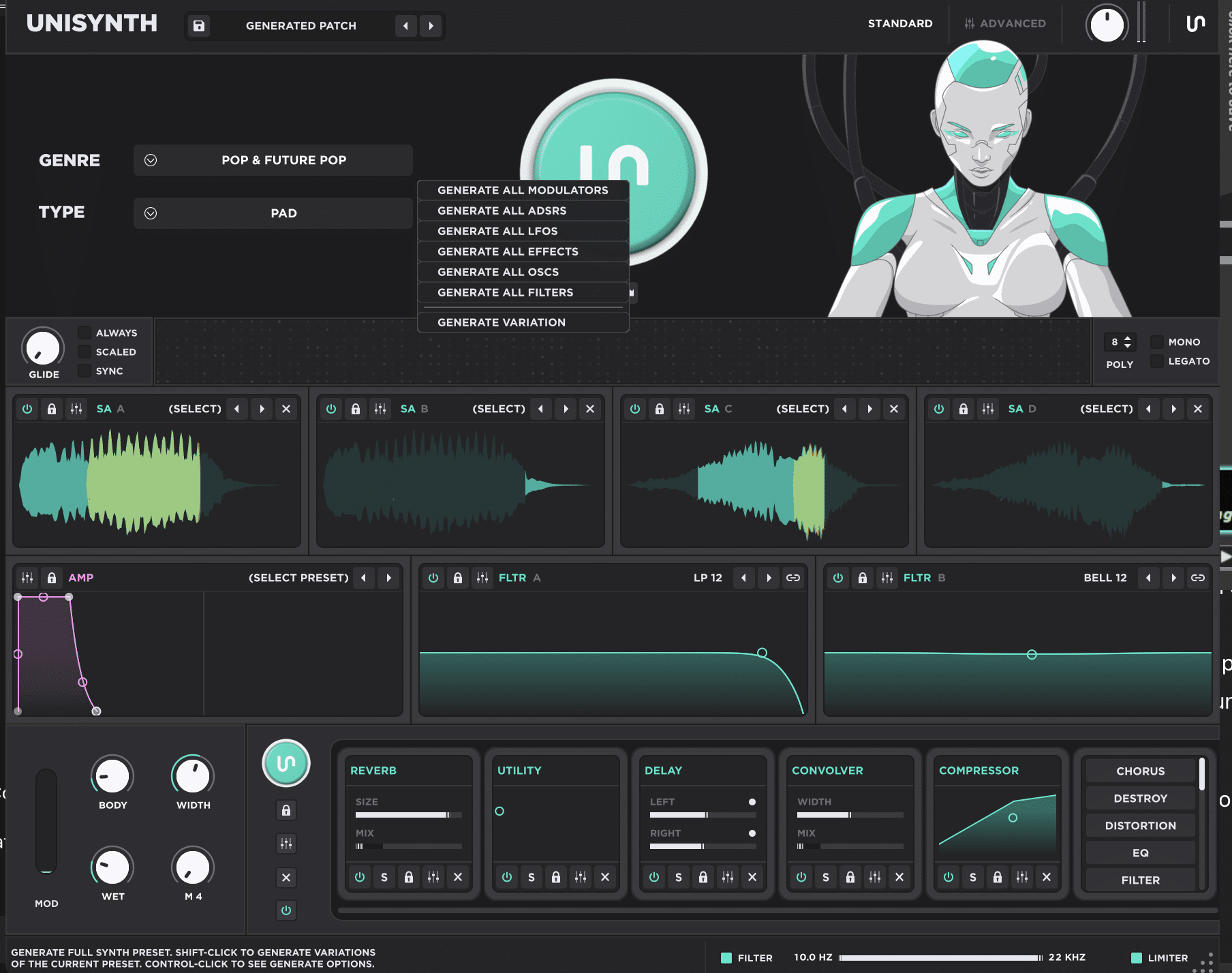
A lot of people are going to miss the real power of Unisynth at first, because they’ll keep hitting the main generator like it’s an all-or-nothing button…
Don’t be one of these people!
The better move is remembering that almost every major and supporting part of the synth can be regenerated on its own, including the:
- Oscillators
- Filters
- Envelopes
- Modulation
- Effects
So, if the oscillator tone is already perfect but the filter movement feels too safe, you don’t need to throw the whole patch away just to fix that one problem.
And if the envelopes already have the exact shape you want but the FX chain feels too stock 一 leave the body of the sound alone.
Only regenerate the section that is actually holding it back.
That gets even better once you control-click the main generator button, because now you can tell Unisynth exactly what you want it to refresh instead of letting it touch everything blindly (talk about huge workflow advantage).
For example, you can build a really strong base sound first, then say, “Cool… now just give me new modulation routing.”
Or, “keep the patch, but flip the filter behavior,” which is way more productive than starting over again and again.
There’s even a Generate Variation option in that menu, which is invaluable.
With it, you can hold onto the identity of the patch while auditioning alternate takes of the same idea instead of replacing it with something unrelated.
Once you start working in layers like that, a lot of these other Unisynth tips I told you about will click right into place.
Note: Don’t forget, you can even apply the previous hack and have it generate variations in and after you select a new genre from its extensive list of 32 of them.
So, bottom line, there’s not a music maker in the whole world who can’t get the style they are looking for from Unisynth, period.
You’ll be able to generate and create entirely different, mind-blowing hybrid genres (and sub-genres) using that feature alone.
#5. Lock In What You Love
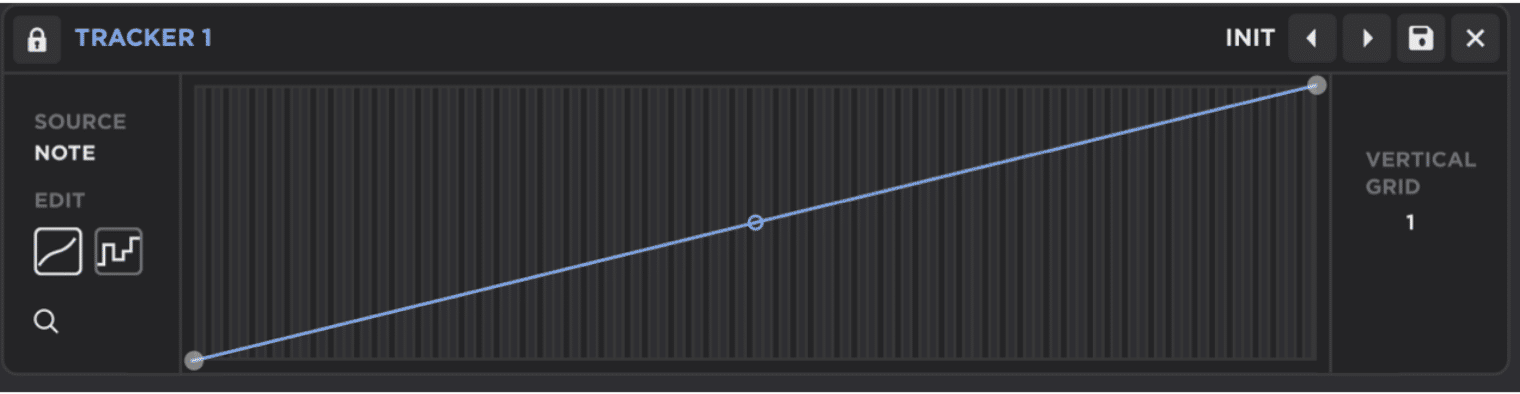
As we touched upon before, the lock icons all over Unisynth let you freeze specific parameter values (and entire sections of the synth) in place no matter how many times you regenerate the rest of the patch.
So, if the amp envelope is already perfect and the filter envelope has the exact shape you want, you can lock both of those in ASAP.
This way, they won’t be touched while everything else keeps evolving.
Similarly, if the entire structure of the preset feels right but the oscillator tone is still too clean, bright, or just not grimy enough, you can lock nearly everything else and only regenerate the oscillator settings.
On the flip side, if the oscillator section is perfect but you want a completely different spin while still keeping that timbre/harmonic quality, feel free.
Simply lock each oscillator and regenerate everything else.
And I’m not just talking about surface-level things either… You can even preserve the body of the sound, the movement, and the overall musical feel.
All while still changing the wavetable, the sample oscillator settings, or the resonator behavior underneath it (or vice versa).
Instead of getting stuck in that annoying ‘all-or-nothing’ workflow where one click destroys all that hard work you just put in, you can be as selective as you want.
You can do whatever you want, like:
- Lock the amp and filter envelopes
- Keep the core structure
- Hold onto the FX if they’re already working
- Only let Unisynth attack the one weak link that still needs help
That alone can take one strong patch and give you a ridiculous number of alternate directions without making the result sound like obvious AI generation.
The decisions stay rooted in the stuff that already felt professional 一 making sure that there is never a weak link in any area of the patch.
This might even be one of the more powerful Unisynth Tips in the whole synth, because it protects what matters while still letting you keep pushing the limits.
#6. Separate 808s From Real Basses/Other Synth-Bass Types
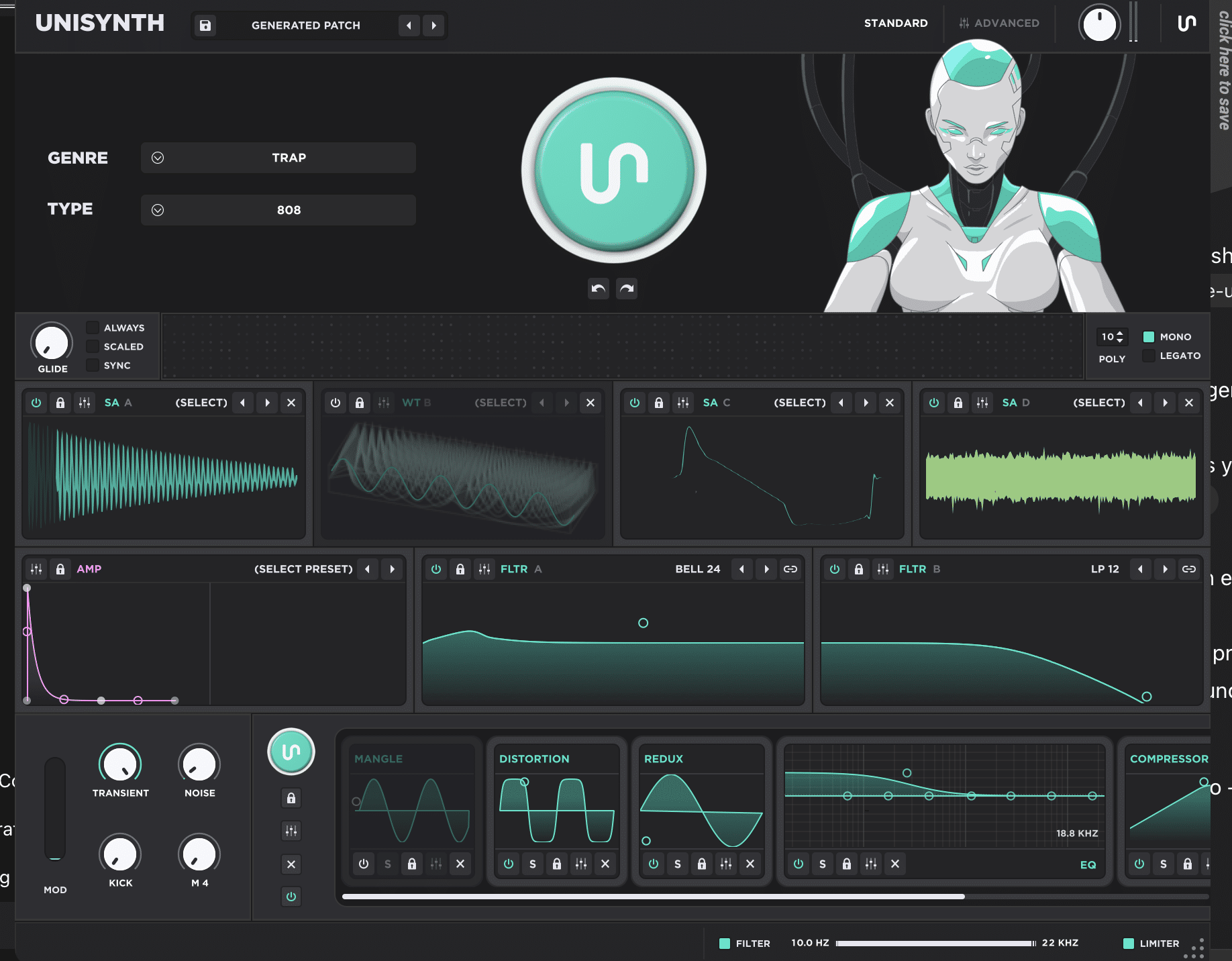
A lot of synths lump together presets containing 808s and basses like they’re basically the same thing (this always makes me cringe).
That’s why I love that Unisynth separates them into two different preset generator categories from the start.
808 usually needs to behave like the low-end foundation of the whole record, while a bass patch might behave more like a supporting role.
Or, alternatively, they might need more movement, more harmonic detail, or more note definition higher up (depending on the project).
Let’s say you’re building a trap beat and need an 808 that holds the sub-bass properly…
With Unisynth, you’re not stuck sifting through bass generations that feel like they were made for a house groove, a funk line, or some generic synth part with too much top-end information.
On the other hand, if you need an actual bass patch, it’s not just handing you a lead pitched down and pretending that it counts as AI (or a bass patch) at all.
This is honestly one of the laziest things most of these AI music tools still do 一 giving all the rest and those that come after a bad name.
Mark my words, an 808 should already feel more sub-driven, more focused, and more built to anchor the beat, while a bass patch can lean more into growl, note movement, texture, or articulation depending on what the part actually needs.
Unisynth understands whether you need an 808 or a bass before it generates anything so you’re never left cleaning up the wrong assumptions later.
That also says a lot about how the synth was built as a whole.
It’s clearly not just throwing every low-frequency sound into one centrifuge, mixing it up, and choosing on at random.
And it certainly won’t consider a patch, a bass just because it contains low-end information and would, could, and should be used and designated as a synth lead if it were pitched up a few octaves.
Not only is this one of the most time-saving Unisynth tips on the list, but it really just proves how smart Unisynth is (and why it’s being called the new standard).
#7. Build Bigger Sounds With Drag-And-Drop
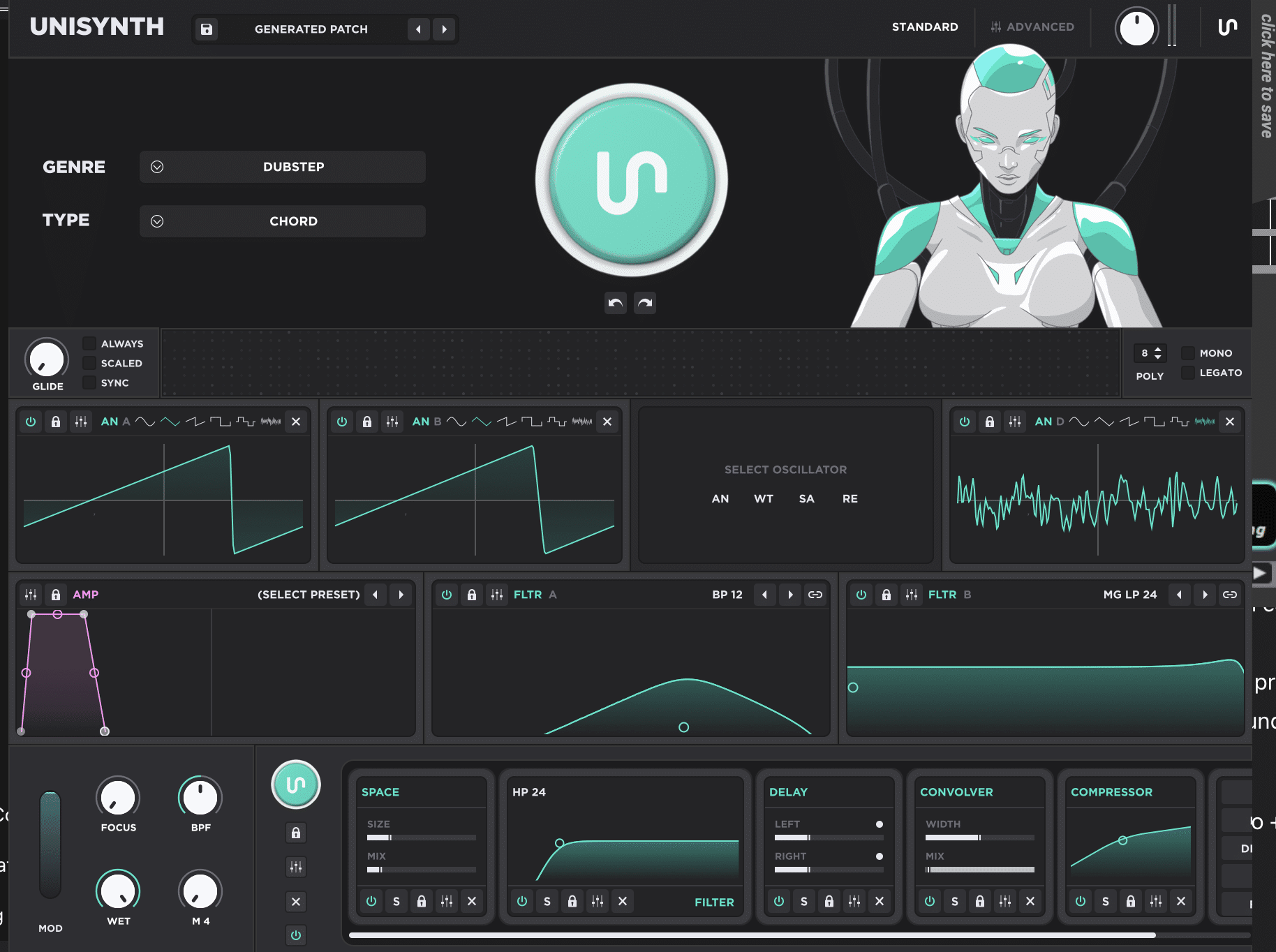
One of the fastest little workflow Unisynth tips is being able to click into an empty area of any oscillator once you’ve got something you like, then drag and drop it into another oscillator slot to duplicate the settings instantly.
That sounds simple on paper, but it’s a huge time-saver, trust me.
You won’t have to rebuild the same tone from scratch like you normally would when building many types of patches.
Instead, you can copy the exact setup in one move and start layering right away.
I know you’re already calculating how much time you could save in your head right now.
From there, all you have to do is change a few details, like add little detuning, a slightly different warp amount, a different wavetable position, or a subtle level or panning adjustment — then boom: the patch gets way wider and thicker!
Side note, this works great for supersaw or detuned style sounds because duplicating the oscillator gives you that bigger, more lush starting point almost immediately.
So, if oscillator one already has the body you want, you can:
- Drag it onto oscillator two
- Make a couple tiny changes
- Assign/adjust an existing modulation destination
- Get more depth without losing the character that made the first one hit
Then, depending on the patch, you can even repeat the process for oscillators 3 and 4 depending on how thick you want it to be.
That kind of layering is perfect when you want a patch to feel more expensive, more stereo, or just more alive without going down a 20-minute sound design rabbit hole.
And because you can do it in just a few clicks, it’s also one of the easiest Unisynth Tips to start using the first time you open the synth (simple yet crazy practical).
#8. Use The XY Pads For Faster Sound Design
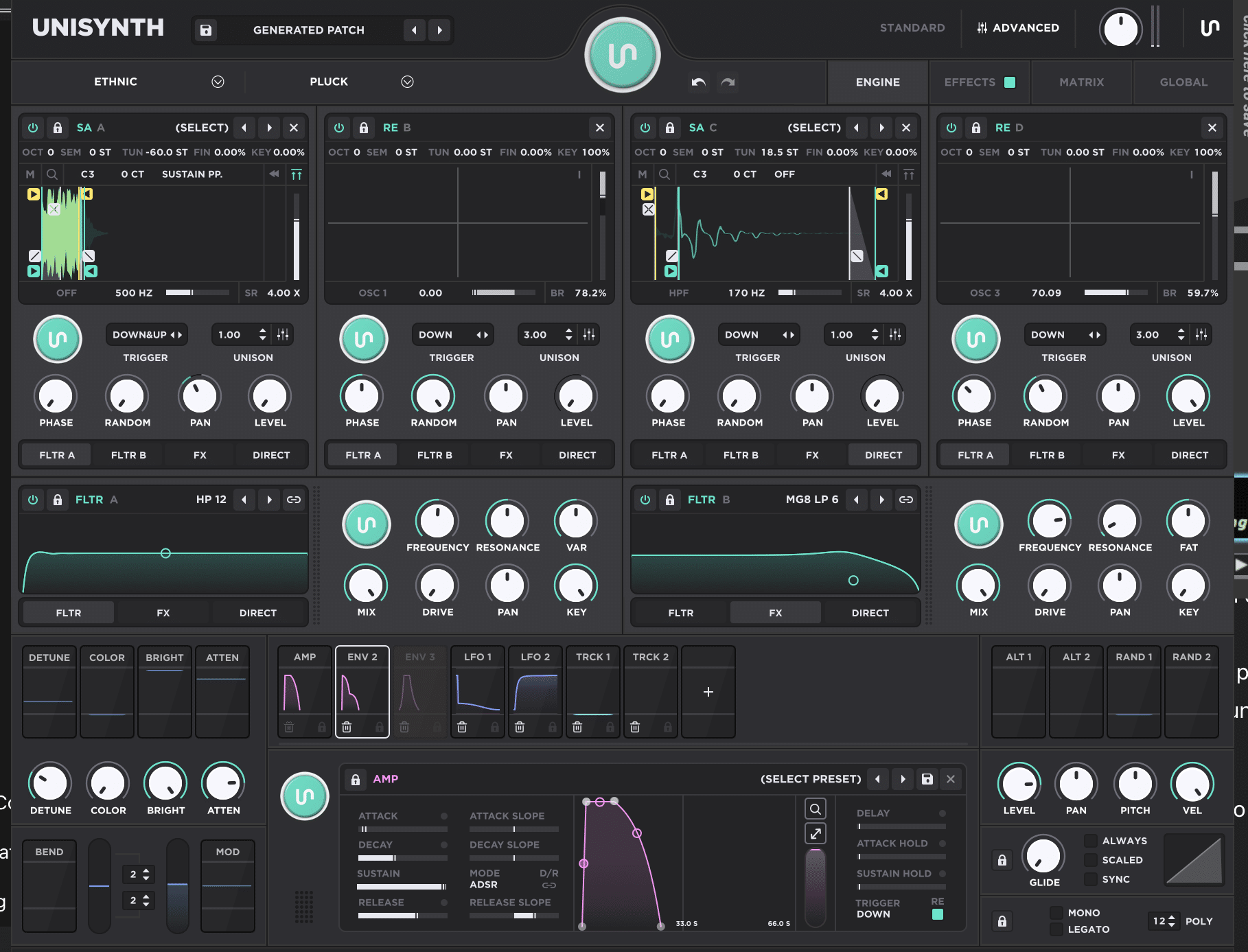
One of my favorite exclusive workflow details Unisynth offers is the (almost hidden) oscillator XY pad integration.
It lets you reshape a sound with your mouse instead of menu diving or stopping to dial in every tiny setting one by one, which is awesome.
So, once you’ve got an oscillator you already like, you can duplicate it or leave it where it is and move your pointer over the OSC. display until it turns into a cross-hair.
Then, start altering, moving, and pushing the sound around in real time.
From there, moving up and down or left and right changes different parameters depending on which oscillator mode you’re using or the functionality selected.
It really makes the whole thing feel much more musical than hunting through menus.
For example, in wavetable mode, the vertical (Y) direction is tied to the wavetable position, while the horizontal (X) direction can be user-defined from an entire drop-down list of harmonically altering options…
So, a few small mouse moves can take the sound from smoother and more stable to way more animated and harmonically rich without breaking your flow.
In other oscillator modes, those same XY movements can be tied to things like ‘warp amount’ or other oscillator-shaping controls.
This could be things like the internal feedback loop settings and exciter brightness/timbre for the Resonator oscillator.
And, playback position and speed in the Sampler oscillator, so the response changes drastically depending on what mode is loaded.
The XY area is not just there for show — it’s giving you fast access to the parameters most likely to change the character of the sound in a meaningful way.
NOTE: If you push it too far and the sound gets weird or wacky in the wrong way, you do not need to hit undo 10 times. Simply double-click the oscillator area and reset the XY position instantly.
That makes experimenting feel way less risky, which usually means you’ll push the sound further and get to better a place faster.
And don’t forget, you can even record automation lanes in real time for a particular track and then swap out the setting or the oscillator type entirely.
This way you’ll have an entirely different response with the same automation data recorded.
Once you start using it like that, this becomes one of those Unisynth tips that make sound design feel more like performance rather than menu work.
#9. Push Modulation Much Further
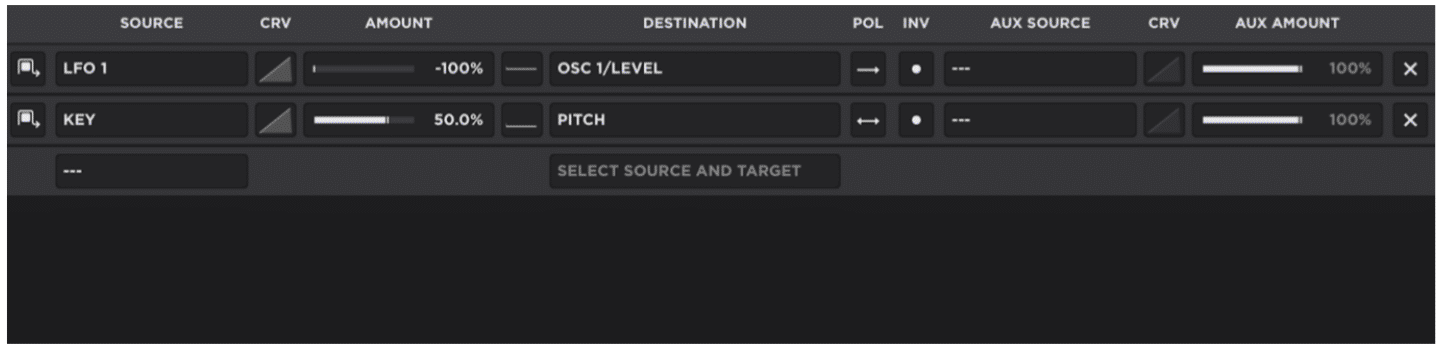
Now let’s move on to the modulation side of Unisynth, which goes way beyond basic synth movement, as the MOD matrix is built to let you stack ideas on top of ideas.
You’ll never have to settle for one simple lane of motion ever again.
On top of that, there’s no modulation matrix in existence up until now that could intelligently think and generate ideas for itself that are:
- Context-aware
- Genre-specific
- Sound-type-specific
So, yes, you (or Unisynth with your direction) can route a modulator to something obvious like filter cutoff, wavetable position, or effect depth…
However, the crazier move is using the additional AUX sources to control when and how that modulation even happens.
I like to call it modulators modulating modulation.
For example, you can set up an LFO wobble on the filter, then assign a macro as the aux source.
This means the wobble only starts coming in as you raise that macro instead of running full-time from the start.
Or, you can set another LFO as the aux source for the wobble LFO at a different speed and hear the wobble intensity change based on the position and speed of the aux LFO mod source.
That may be hard to envision, so I suggest you try it even if you think you get it, because you may not realize the magnitude of just how powerful this is until you hear it in action.
Then, you can change the settings of that aux LFO source for an entirely different spin on the wobble 一 totally up to you.
That opens up way more performance control, because now you are not just modulating parameters, you’re modulating the amount, intensity, or behavior of the modulation itself.
So, one macro (or LFO, depending on the speed and type) can become the thing that gradually introduces motion, tension, or instability as the part builds.
Things will be way more expressive than a fixed LFO looping the same way for 16 bars.
NOTE: Recording it as automation is perfect for a riser or build-up and is the go-to method for pro producers and sound designers alike; they just have yet to experience the way it can be done in Unisynth.
And because Unisynth lets you assign and modulate modulators with other modulators and their parameters, the whole system is less like “assign source to destination” and more like building on top of the existing behavior inside the sound.
So, when you want one patch to cover multiple jobs in the same track, like starting smooth in the verse, then getting more animated/aggressive in the hook without loading a second preset, it’s ideal.
It also makes live-style performance patches much more interesting as the sound can evolve under your guidance instead of just looping one way forever.
You can even go one step further and assign another macro to control the depth, speed, or any other combination of settings to the aux LFO.
This will give you super twisted, truly unique performance control.
Bottom line, if you like patches that react, develop, and do more than one thing over time, or in real time, this is one of those Unisynth tips that can quietly become a fav.
#10. Use The Master Section Like A Pro

The master section in Unisynth is way more useful than it looks at first, because the master filter lets you narrow the scope of a patch fast.
All without touching the deeper oscillator or filter settings underneath.
Plus, you can limit and change the frequency content without ever having to touch the EQ in the FX rack, an external EQ, or any filter within your DAW’s track insert chain.
So, if you generate a lead that has the perfect attitude but way too much low-end hanging under it (or you have or plan on layering it with another sub bass track), you can trim that extra weight right there at the bottom of the synth and keep it moving.
Better yet, that filter stays put and locked in automatically while you keep generating patches 一 never getting changed by regeneration like we talked about.
Perfect when auditioning lots of ideas through the same exact listening window.
For example, if you only need a sub-bass below 100 Hz, you can set the master filter there and jump into and select the 808/Bass sound type option.
Then, keep cycling and regenerating until the low-end shape feels right without getting distracted by all the upper harmonics and/or anything above 100 Hz.
On the other hand, if you’re building a top layer, you can push the filter so you’re only hearing the content at 8,000 Hz and up, then regenerate until you find that airy edge or crispy texture the track is missing.
That kind of scope-limiting is amazing when you want a very specific role from a patch.
It keeps your ear focused and stops the rest of the sound from tricking you into liking the wrong part or thinking it’s not the right patch for the situation.
Then you’ve got the master limiter…
And that’s not just there to stop random volume spikes when new patches come in or prevent you from blowing your speakers or eardrums right to hell.
You can actually use it like a proper limiter when you want more control over the final level if you use it with intention.
NOTE: The easiest move is to keep the Utility effect at the end of the FX chain as the very last processor, then raise or lower its output level depending on how hard you want to hit the limiter; more push if you want it to grab, less if you want the patch to breathe.
This lets you hit the limiter as hard as you want while never going above the set dB level.
So, between the master filter locking you into the exact frequency zone you care about and the limiter helping you control how hard the patch hits, it’s mind-blowing.
This part of Unisynth can seriously speed up decision-making, as well as save you an insert slot in your DAW’s insert chain on the track Unisynth resides on.
If you follow these Unisynth tips, you’ll reach a sound design level you never thought possible, easier than ever.
Unisynth Tips: Final Thoughts
And there you have it, the first part of the legendary Unisynth tips collection.
At the end of the day, Unisynth is in a league of its own 一 redefining the entire synth plugin game altogether (setting the new standard, really).
It won’t just help you make better sounds faster like other synths. It’s giving you way more control, depth, and freedom to actually make those sounds uniquely yours.
These Unisynth tips should also make it pretty clear that this thing is not some gimmicky AI plugin that spits out random presets and calls it a day.
It can think with you, give you groundbreaking ideas, enhance your skills, and help you refine the sounds you already have.
And the best part is, there’s virtually no limits, and you can get crazy deep.
So, if Part 1 already opened your eyes to what this beast can do, just wait until we get into the next round!
Until next time…




Leave a Reply
You must belogged in to post a comment.