




Now, yesterday we did the Unisynth vs Serum 2 article and really broke down how and why Unisynth came out on top.
Today, we’re putting it up against Pigments 7, which we can all agree is a pretty solid competitor.
One is built to give you a faster, more flexible, more modern sound-design workflow with AI helping at every twist and turn.
The other, is more of a traditional deep-dive synth that gives you a lot of power, but usually expects you to know exactly what you want before you even start.
But the real question everybody is asking is which one is actually better…
Well, today, I’ll be breaking down everything you need to know about each epic plugin’s features and functions, like:
- Sound engines ✓
- Layers and texture ✓
- Filters and tone ✓
- Motion and modulation ✓
- FX and finishing ✓
- Wavetable control ✓
- Presets and inspiration ✓
- CPU and workflow ✓
- Teaching value ✓
- Which sounds better ✓
- And so much more ✓
So, in order to make the final decision about which one really comes out on top, you have to look at way more than just the surface-level feature list, of course.
It all comes down to workflow/flexibility, but also how deep each synth actually goes once you start getting into the nitty gritty.
Plus, you really need to see which one gives you better sounds, faster results, and more control with each unique session you’re working on.
And, of course, you need to look at which one simply gives you more value as a modern producer 一 so, let’s just get right into it: Unisynth vs Pigments 7.
Table of Contents
Unisynth: The Best New AI Synth on the Market
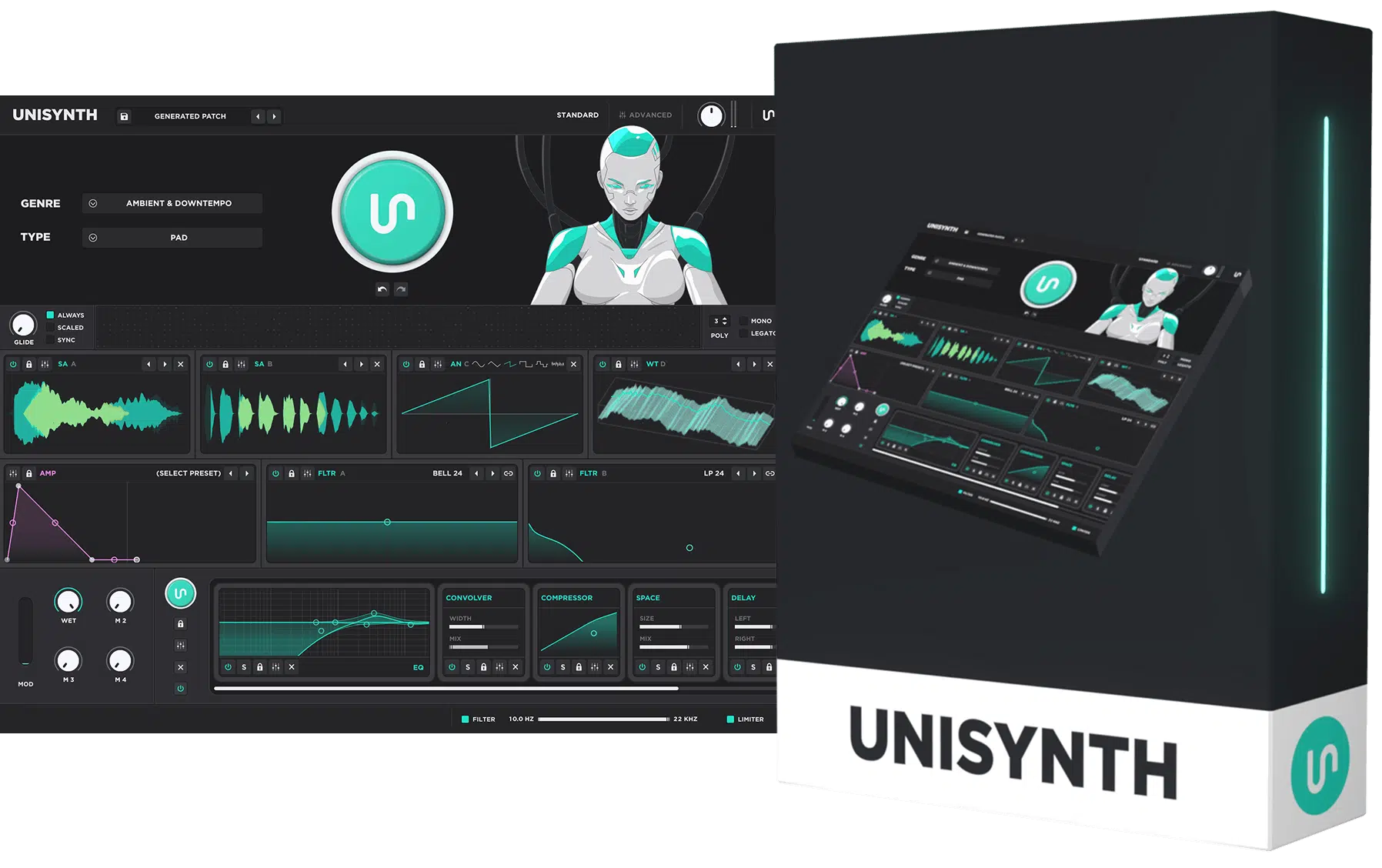
Unisynth is one of those game-changing plugins that feels revolutionary from the second you open it up.
Instead of making you start from a blank patch and build everything from the ground up, Unisynth is built around a mind-blowing (super powerful) AI-powered sound generation.
You’re able to create new sounds based on the exact kind of vibe, genre, and tone you’re going for thanks to the 32 different genres you have to choose from.
Meaning, you’ll never be stuck trying to force one synth into every lane…
You can jump into hip-hop, trap, pop, house, EDM, cinematic, etc. without ever feeling like the engine is fighting you (which is a big issue usually).
On top of that, Unisynth gives you 4 oscillators and multiple synthesis sources to work with, including analog, wavetable, sampler, and resonator modes.
It can handle everything from thick basses and smooth pads to sharper plucks, textured leads, and more unusual layered sounds that will blow your mind.
Unisynth also comes packed with:
- 350+ wavetables
- 1,250+ samples
- 25 built-in effects
So, when it comes to Unisynth vs Pigments 7, you really have to realize how much raw material for shaping, stacking, and finishing sounds that really it.
What makes it even stronger is that Unisynth is not just about speed.
Once you get your first sound going, Advanced Mode lets you go so much deeper with the patch 一 think: oscillator routing, module randomization, wavetable editing, modulation controls, and detailed voice settings as well.
So when you really break it down, Unisynth feels like it was made for modern producers and sound designers who want unlimited inspiration and deep control.
Plus a smoother overall workflow than what you usually get in a synth that tries to do this much.
Pigments 7: Breaking it Down
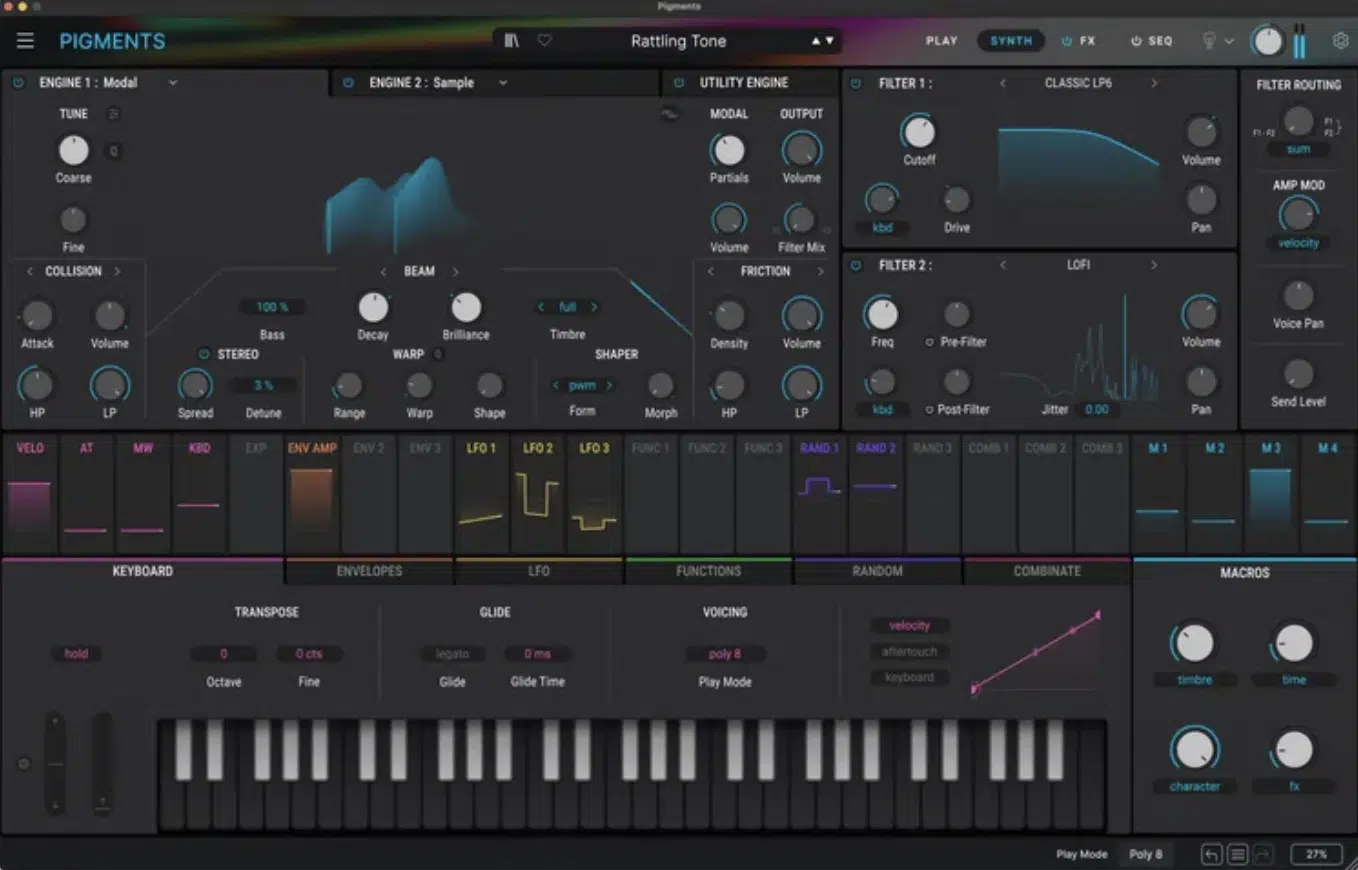
Pigments 7 is Arturia’s big modern software synth.
It gives you access to 6 synthesis types 一 Virtual Analog, Wavetable, Sample, Granular, Harmonic, and Modal.
As well as a Utility engine, so on paper there is no question that Pigments is trying to cover a lot of ground (but that doesn’t mean it can defeat Unisynth).
The interface is one of the main reasons people like it because everything is color-coded, easy to follow visually, and built around drag-and-drop modulation.
This definitely makes the synth feel less intimidating than some older complex instruments.
Side note, Unisynth took a page and is proud to say that the GUI is inspired by Pigments, just with a cooler twist!
Pigments 7 also includes more than 1,700 presets.
That gives you a lot to scroll through if you like starting from existing sounds and then tweaking from there rather than generating something new from scratch like you get with Unisynth.
Beyond that, it has dual filters, a sequencer, an arpeggiator, a big modulation system, and 20 effects algorithms.
Version 7 also added new filters like Rage and Ripple, a new Corroder effect, an updated Play View, and some CPU improvements.
Still, once you step back and look at the bigger picture, Pigments 7 feels more like a very capable traditional synth for people who want to dig in manually.
Whereas, Unisynth feels more in tune with how producers actually work today when speed, inspiration, and workflow matter just as much as raw depth.
This is exactly why Unisynth vs Pigments 7 is such an epic debate.
Unisynth vs Pigments 7: Key Features, Functions & Capabilities
Now that the basics are out of the way, the real Unisynth vs Pigments 7 battle starts when we go past the surface and really compare what these two powerhouse synths have to offer as a whole. On paper they both look powerful, but once you break down the features/functions, engines, workflow, flexibility, and creative speed, Unisynth starts pulling ahead in some very important ways. But, let’s take a deep dive so you can see for yourself…
Sound Engines
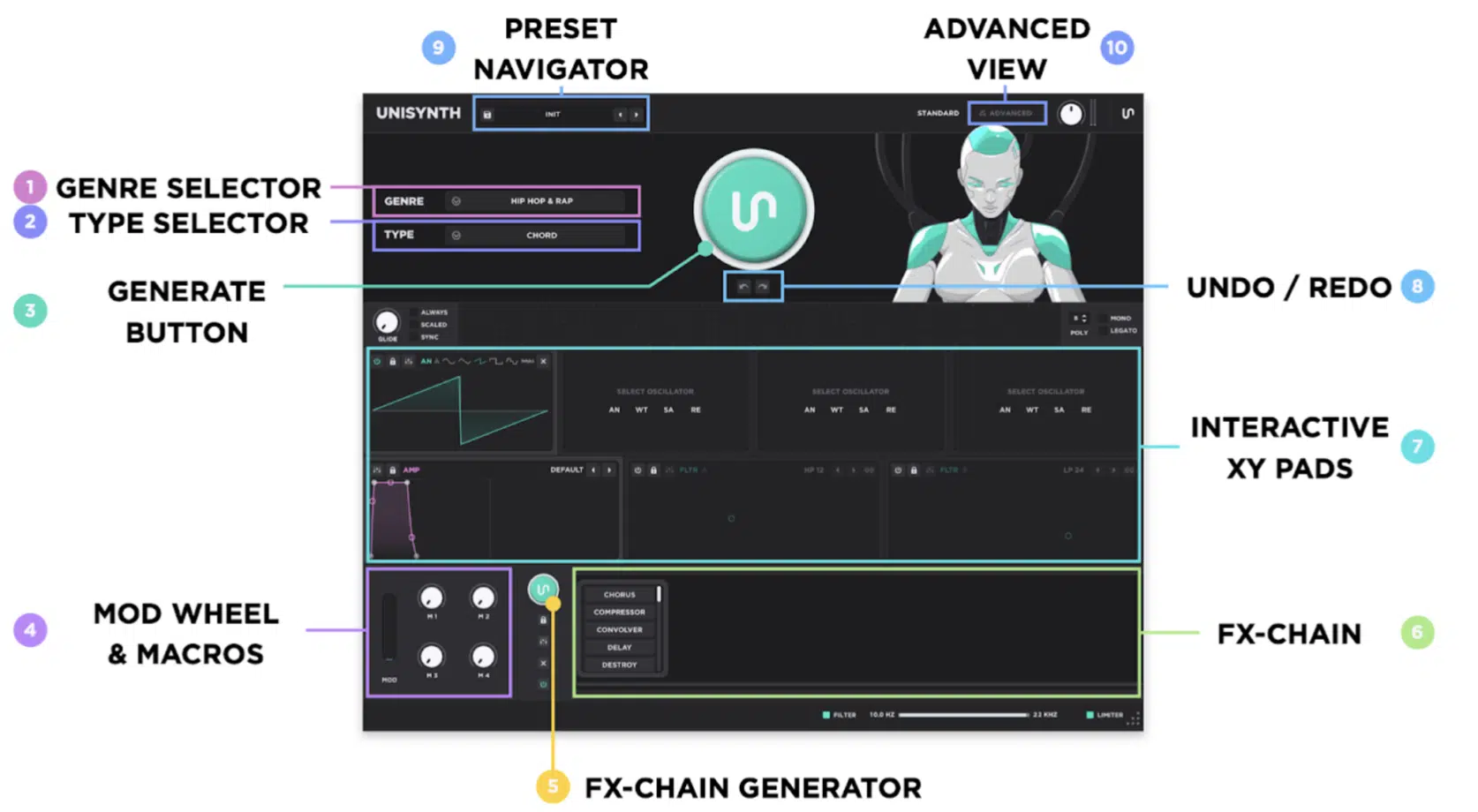
Let’s kick things off by talking about the sound engines…
Sound engines are the part of a synth that actually creates the sound, so this section is really about the raw building blocks like what kinds of tones the synth can produce.
As well as how many layers it can create at once and how wide the sound can feel before you even touch the polish later on.
Unisynth makes a strong first impression here because it gives you 4 oscillator types.
And an oscillator is simply a sound source inside the synth, so having four of them means you can stack four different tone layers inside one patch.
You’ll never have to rely on just one or two ever again.
Even better, each of those four oscillators can be to set to either Analog, Wavetable, Sampler, or Resonator mode:
- Analog is the warmer, classic synth-style tone
- Wavetable is the sharper and more animated digital side
- Sampler lets you pull from recorded source material for more realistic texture
- Resonator gives you a more ringing, metallic, acoustic-style flavor that can make a patch feel less synthetic
The range that Unisynth is composed of inside of one sound is insane because you can build a bass with analog weight in oscillator one and add a wavetable layer for edge in oscillator two.
Or, bring in a sample-based attack in oscillator three and then use a resonator layer in oscillator four to add a more unusual top-end character 一 endless possibilities.
Unisynth also has 350+ wavetables and 1,250+ samples, which means you are not working with a tiny set of source material that starts repeating itself after a week.
You have literally hundreds of digital wave shapes and over a thousand sample sources to pull different tones, textures, and attacks from.
Plus, you get samples from Unison’s famous preset packs that, on their own, will set your tracks apart from the rest (no stock sounds here!).
Then there is the AI side, which cannot be understated and is a big reason the Unisynth vs Pigments 7 comparison leans hard in Unisynth’s direction…
It can generate sounds from 32 genres in 6 different sound categories first, so you can direct it towards a lead, bass, 808, pluck, or pad.
Then you’re able to tweak things to perfection in Advanced Mode.
It’s a much smoother way to work than staring at a blank patch and building everything from zero every single time, believe me.
There’s also super deep engine-level tools like oscillator routing, wavetable editing, module randomization, and more detailed voice controls.
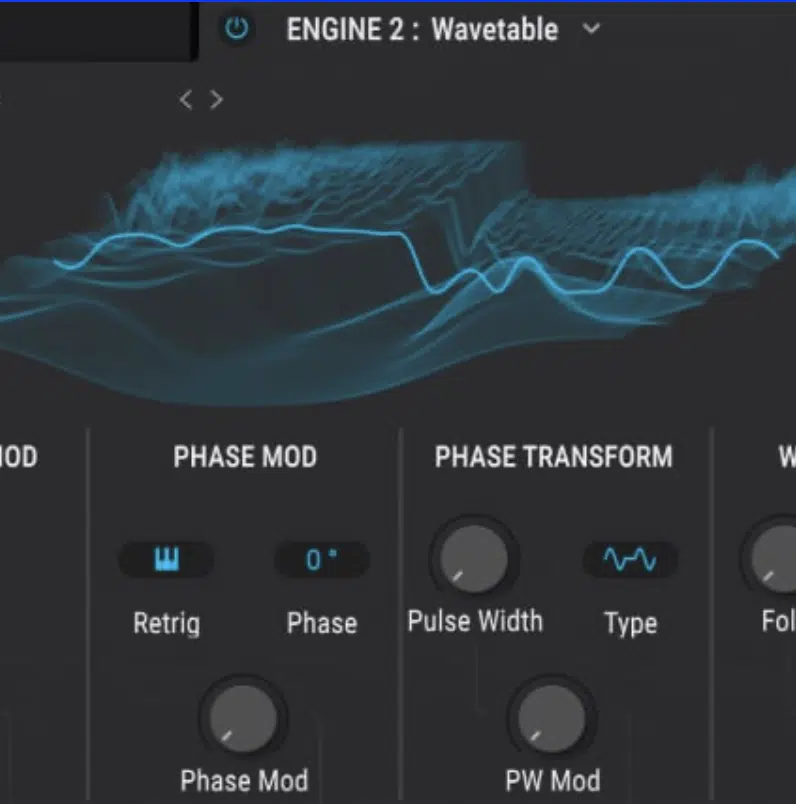
Pigments 7 is definitely no lightweight of course, because Arturia gives you 3 engine slots and 6 synthesis methods.
As well as a Utility engine that adds extra oscillators and noise, so there is still a lot of sound design power inside it.
Still, if we are being honest in this Unisynth vs Pigments 7 article, Pigments feels more like a synth that wants you to build the entire engine by hand.
Unisynth, on the other hand, gives you a hybrid setup, more source material, AI-assisted idea generation, and deeper editing afterward.
It’s simply a better fit for how a lot of producers and sound designers work now.
Layers & Texture
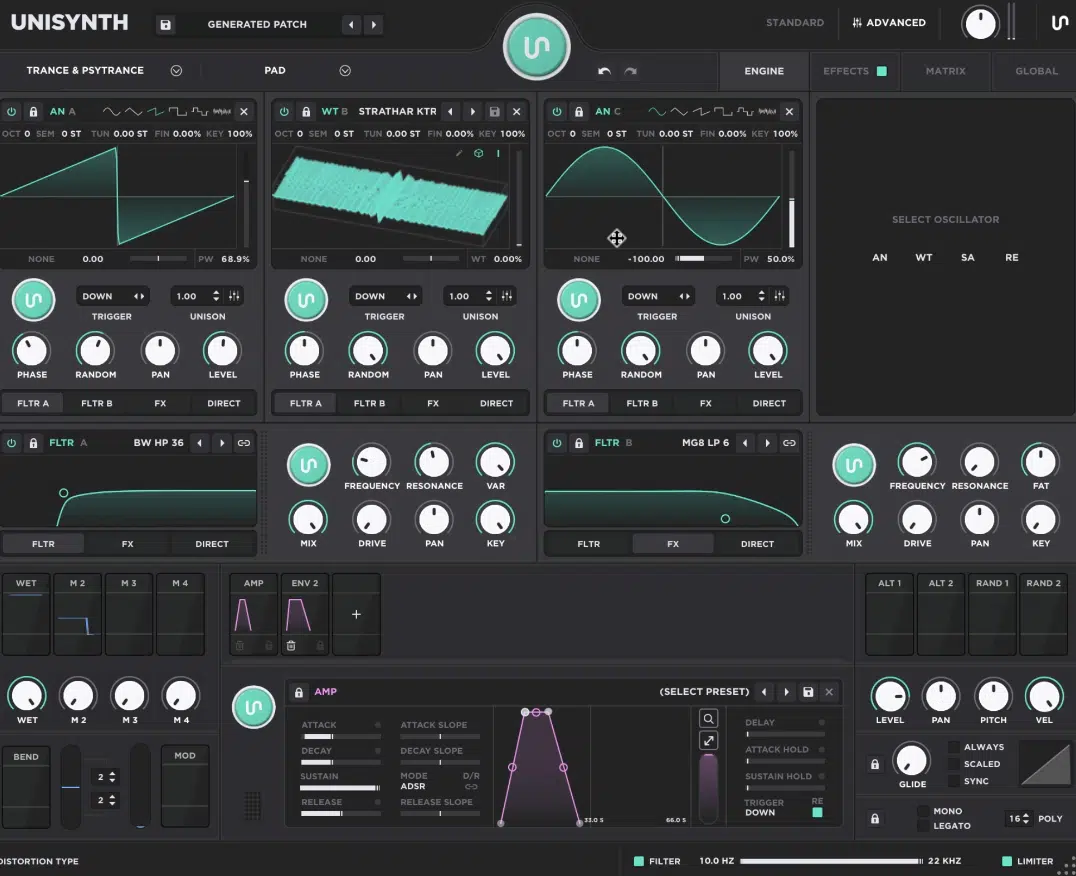
Layers and texture are what make a synth patch feel bigger than life and expansive in a really addicting way.
It helps decide whether the sound feels one-dimensional and plain or whether it has body in the middle, detail on top, movement in the tail, and enough character to hold its weight in a real mix.
Unisynth is extremely strong here because those 4 oscillator slots we talked about let you treat one patch like four small instruments working together.
Meaning, one layer can hold the main body, one can add brightness, one can bring in a sample-based texture, and one can add a resonant or metallic edge.
The oscillator types help a lot with that too, because analog is better for warm weight and thicker cores and wavetable is better for sharper harmonics and motion.
Then you have Sampler, which is great for more natural or gritty detail and resonator, that can add that hollow, ringing, almost acoustic shimmer that helps a patch stand out.
The 1,250+ samples make a real difference in texture too, of course and the 350+ wavetables help on the harmonic side.
They give Unisynth a large collection of digital wave shapes to pull sharper mids, cleaner highs, more animated motion, and more detailed harmonic movement from.
So, if you want a patch to feel modern without sounding harsh, it’s invaluable.
This is also where Unisynth’s Advanced Mode and reported oscillator routing tools become a bigger deal than ever…
Once the layers are there, you can shape how they interact instead of just piling sounds on top of each other and hoping they work.
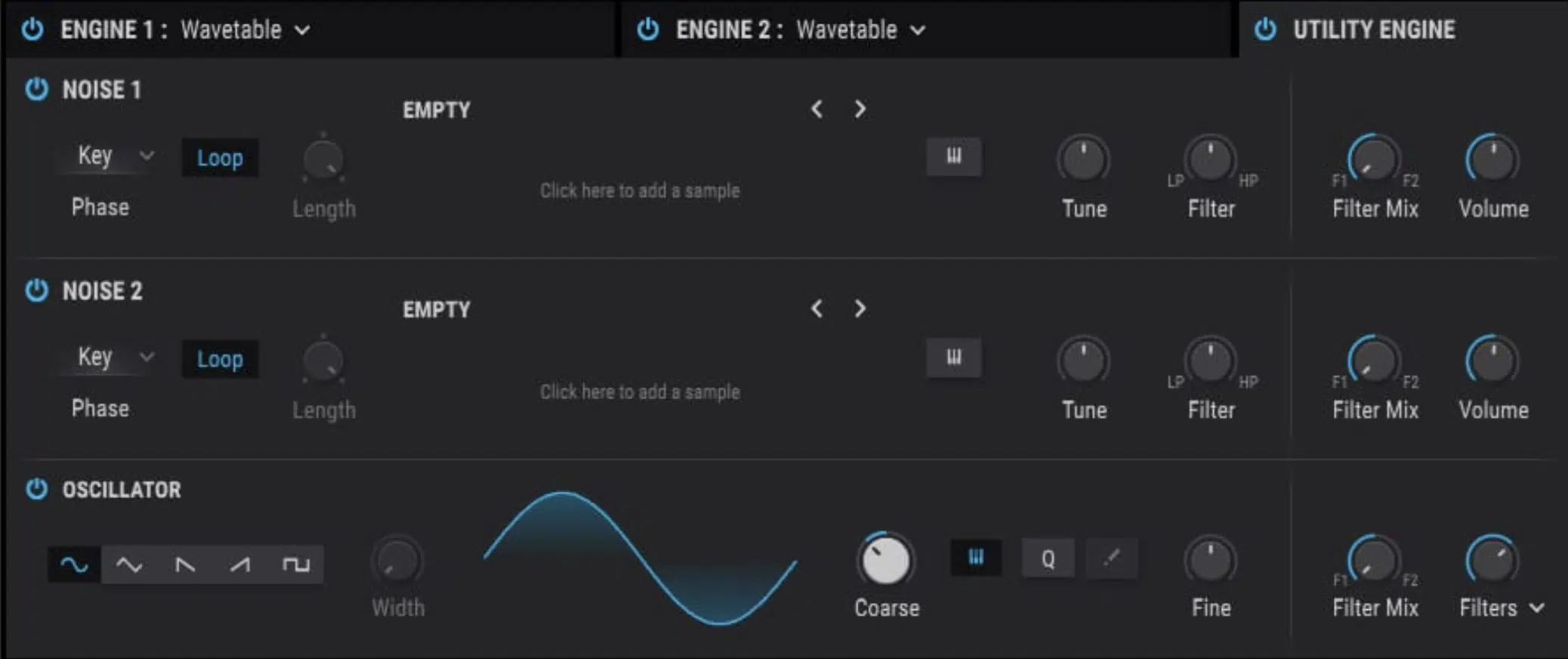
Pigments 7 can build rich textures too, especially because its engine slots can combine things like wavetable, sample, granular, and virtual analog methods.
The difference however, is that Pigments usually asks you to do more of the construction work yourself.
Unisynth hands you a thicker starting point faster and that really shows in the Unisynth vs Pigments 7 comparison when the goal is getting to a full patch without spending ages setting up the basic shape (who has time for that, am I right?).
That legendary AI engine assists every step of the way too, especially when it comes to the oscillator settings on a slot-by-slot basis.
You can design the entire patch and just have Unisynth generate its top layer.
So if the question is which synth gives you more texture, more layering power, and more ways to make one patch feel wide and detailed, Unisynth hands-down takes the crown.
Four flexible sound sources, a much larger sample pool, hundreds of wavetables, and a workflow that gets you to that bigger sound with less effort.
Filters & Tone
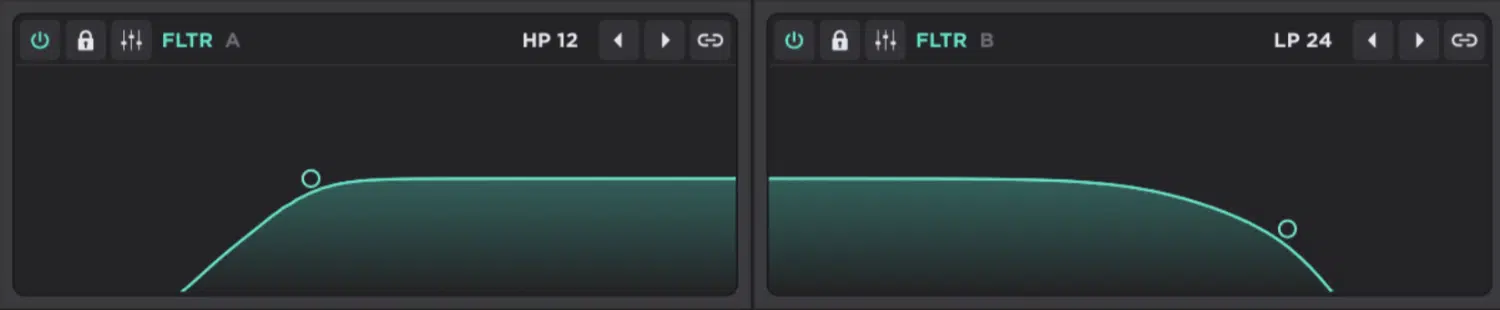
Filters and tone are a major part of what makes one synth feel average and another feel absolutely addictive.
It’s the stage that shapes the color of the sound itself, really.
Meaning, the warmth, bite, smoothness, grit, air, and movement you actually hear when the patch hits your speakers.
Unisynth gets more interesting here once you move past the basic headline features, because its filter section has 48 different filters in a broad range of categories.
You’ll have ultimate control over frequency, resonance, drive, and one extra variable control that changes depending on the filter type.
So, you’re not just opening and closing a cutoff 一 you’re getting another layer of tone-shaping depending on the filter you pick.
The filter selection itself is more epic than a lot of people would expect, since the detailed review calls out comb filters, phaser filters, notch filters, all-pass filters, vowel filters, and a large batch of more classic analog-style filters.
With some of those options even opening up extra sub-menus for more control, too.
That gives Unisynth a lot more character than a simple “clean digital synth with a cutoff knob” type of setup, because a comb filter can add that hollow, metallic ring.
And, a vowel filter can push the patch toward a more vocal sound and a phaser-style filter can add motion and color before you even touch the main FX section.
Another winner is the routing because each oscillator can be sent to:
- Either filter
- The FX
- The output directly
This means you can filter only the parts of the sound that actually need shaping instead of blurring the whole patch together.
So, for example, you can leave one oscillator bright and untouched for presence and send another through a comb or analog-style filter for extra body.
Then, let a third layer skip the filter entirely and go right into the effects for width or texture, which is a very producer-friendly way to build a bigger sound.
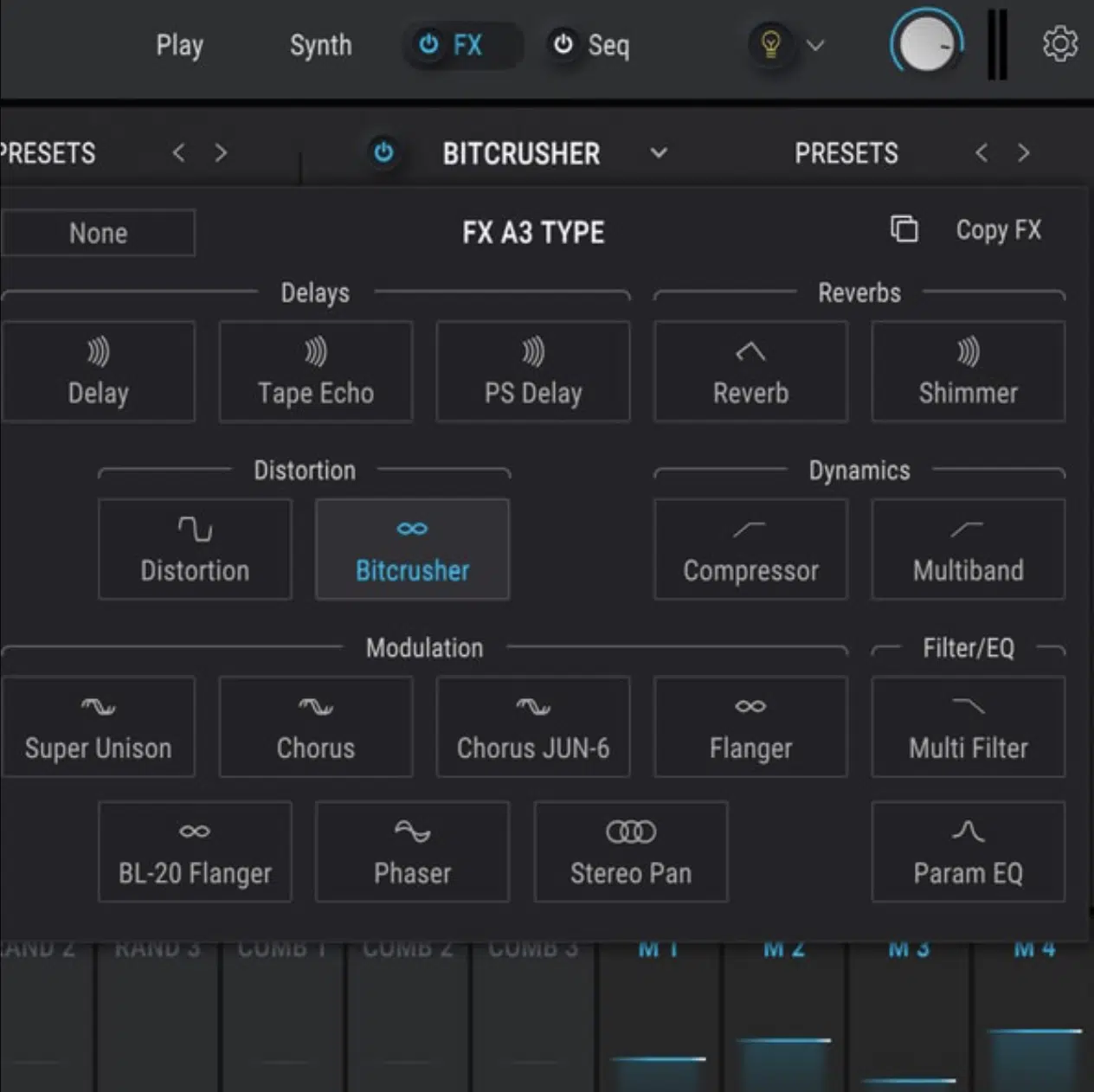
Pigments 7 is strong here too, because it gives you 19 filter types and 68 filter modes, plus continuous series and parallel routing.
That said, Pigments can feel more like a synth where the filter section has to do a lot of the heavy lifting.
Unisynth feels like the tone is already fuller before the filter stage even begins, and that makes a real difference in Unisynth vs Pigments 7 when the goal is to get to a grammy-winning sound fast!
Plus, with Pigments in this Unisynth vs Pigments 7 debate, you have to know exactly what your intentions are, but with Unisynth you don’t have to worry about that.
It lets you freestyle your ideas with one of its over 80 specialized AI generators living right inside the Advanced Filter section.
So when this section is broken down properly, Pigments 7 absolutely gives you depth, but Unisynth feels more satisfying because the filters are versatile.
And, routing is smarter and the whole tone-shaping side feels built around making patches sound bigger and more alive with less effort.
Motion & Modulation
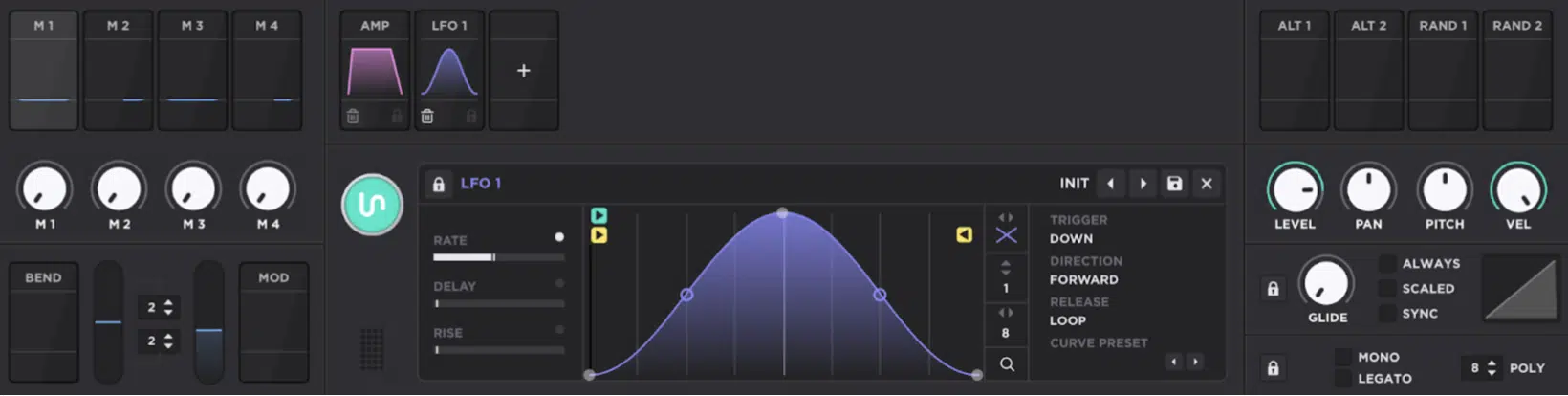
Motion and modulation are what stops a synth patch from sounding stiff 一 adding pulse, drift, rhythmic movement, brightness changes, and overall stereo animation.
Plus that subtle life that makes a sound feel like it is really moving inside the track instead of just sitting there aimlessly taking up space.
Unisynth does a really nice job here because it gives you up to 11 modulators, which can be:
- Envelopes
- LFOs
- Chaos
- Generators
- Trackers
So, you have the usual shaping tools just with more utility-style modulation for things like key tracking and velocity mapping, which is awesome.
The envelopes are deeper than average too because they include delay controls and different trigger settings…
Meaning, you’re not stuck in one default behavior and it can be made to react in more specific ways depending on how you want the patch to respond.
In Pigments, the LFO uses an MSEG-style looping with node-based curve editing, and even a zoom function.
You can easily shape more detailed movement instead of being limited to a few basic triangle and sine motions.
And then you have Linear mode, which gives you a linear random interpolation, so the movement feels more naturally gliding and less abruptly jumpy.
Switching back to Unisynth, one of the coolest parts about it is how it handles modulation from the front panel….
Like Pigments, when you hover over a control you can adjust modulation right there.
And a right-click opens access to deeper options like curve, polarity, and even auxiliary modulation without forcing you into the matrix every five freakin’ seconds.
It also goes deeper with voice behavior than most synths in this lane, since the review points out that every LFO, envelope, and oscillator has multiple trigger options.
This lets you decide whether something resets every note, only resets on the first note of a legato phrase, or prioritizes the highest note.
It’s this kind of attention to detail that really changes how a patch feels altogether!
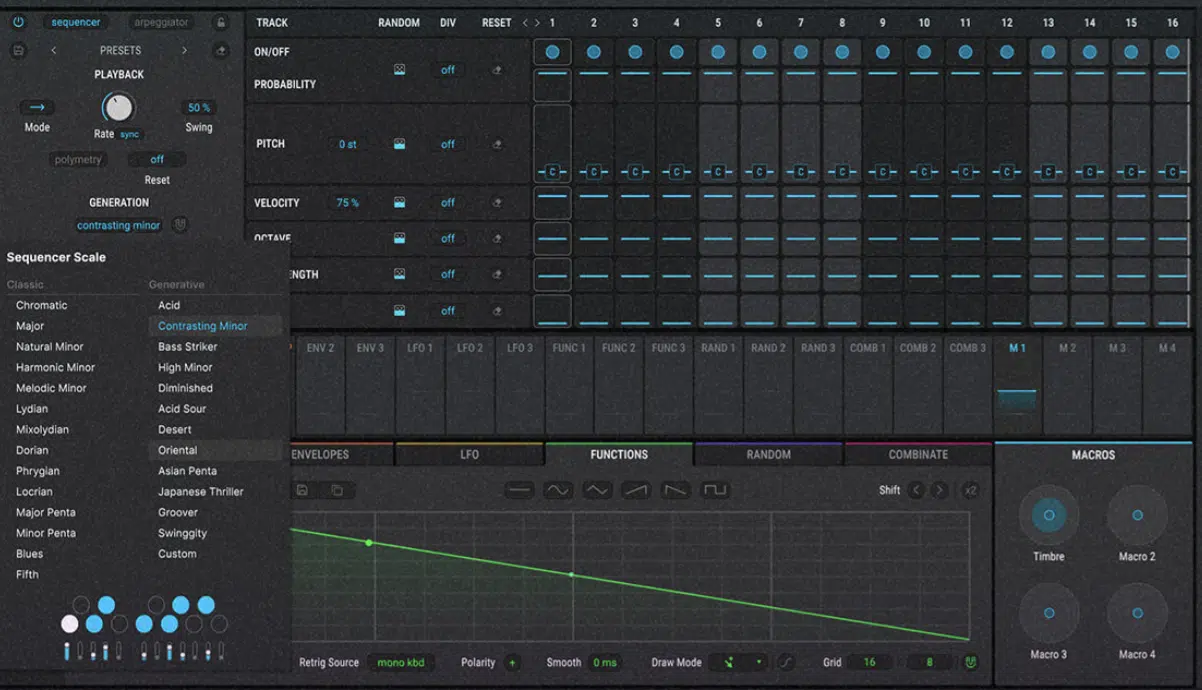
Pigments 7 is obviously a heavyweight on modulation too, because it gives you drag-and-drop modulation, unlimited connections between sources and destinations, morphing LFOs, random generators, combinators, four macros, and even the ability to trigger envelopes with audio.
Still, in the Unisynth vs Pigments 7 debate, Unisynth comes off better for everyday production and sound design because the modulation side feels easier to access.
Plus, the front-panel editing is smoother and the voice-handling options go into exactly the kind of musical depth that makes motion feel intentional (instead of just technically impressive).
NOTE: Remember, every single one of its modulators has a dedicated AI generator, so you can have the perfect sound while also having AI direct your modulation sources and destinations.
Even better, you can keep your modulation setup in place, since each source has its own individual generator.
That means you can generate new and unique settings for the envelopes, LFOs, and macros all day long.
Or, even add new expression while you play by generating new settings and destinations for its unique tracking modulators.
FX & Polish
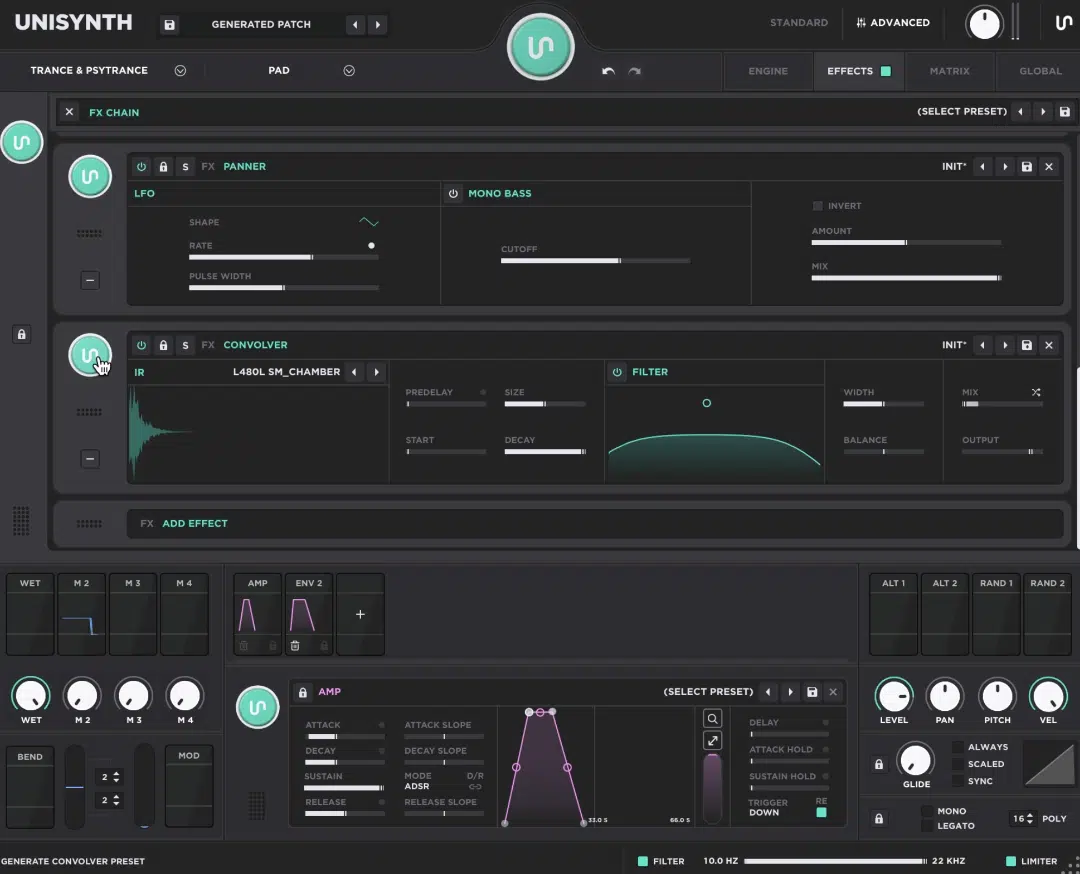
FX and polishing things off are where a synth either starts feeling like a real production tool or just a sound source.
It’s the stage that adds glue, depth, width, edge, and that last layer of polish that makes a patch feel stream-ready instead of half-built (or whack altogether).
Unisynth feels much more powerful here because its FX section is laid out in a very Serum-style rack…
The whole thing is easier to read, easier to tweak, and easier to build around when you want to stack effects in a way that makes perfect sense to your unique track.
And it’s not just a simple master rack either oh no, no, no… It goes way deeper because it successfully:
- Gives you 25 built-in FX
- Lets each oscillator route to Filter 1, Filter 2, the FX section (or straight to the output)
- Has its own AI generators for inspiration or a fresh take on your existing sound
You’re able to really treat individual layers before they ever hit the main chain.
That opens up a lot more control inside one patch, since you can keep one layer dry for punch and send another through a filter for tone.
So when you are shaping a big bass, stacked lead, or wide pad in Unisynth vs Pigments 7, Unisynth gives you that cleaner “build the chain how you want it” feeling.
It doesn’t make the FX architecture itself become part of the challenge.
Pigments 7 still gives you a lot to work with, because it has 20 studio-grade effects, 2 insert buses, 1 send bus, and up to 3 FX slots per bus.
There is real depth there for people who understand signal flow and know exactly how they want to split processing inside the synth.
The issue is that Pigments handles effects in a more fixed, bus-based routing structure…
So, while it is powerful, it can feel more like a maze if you are not already comfortable thinking in terms of insert buses, send returns, and layered internal routing choices.
Or if you’re not an audio engineering expert by trade, of course.
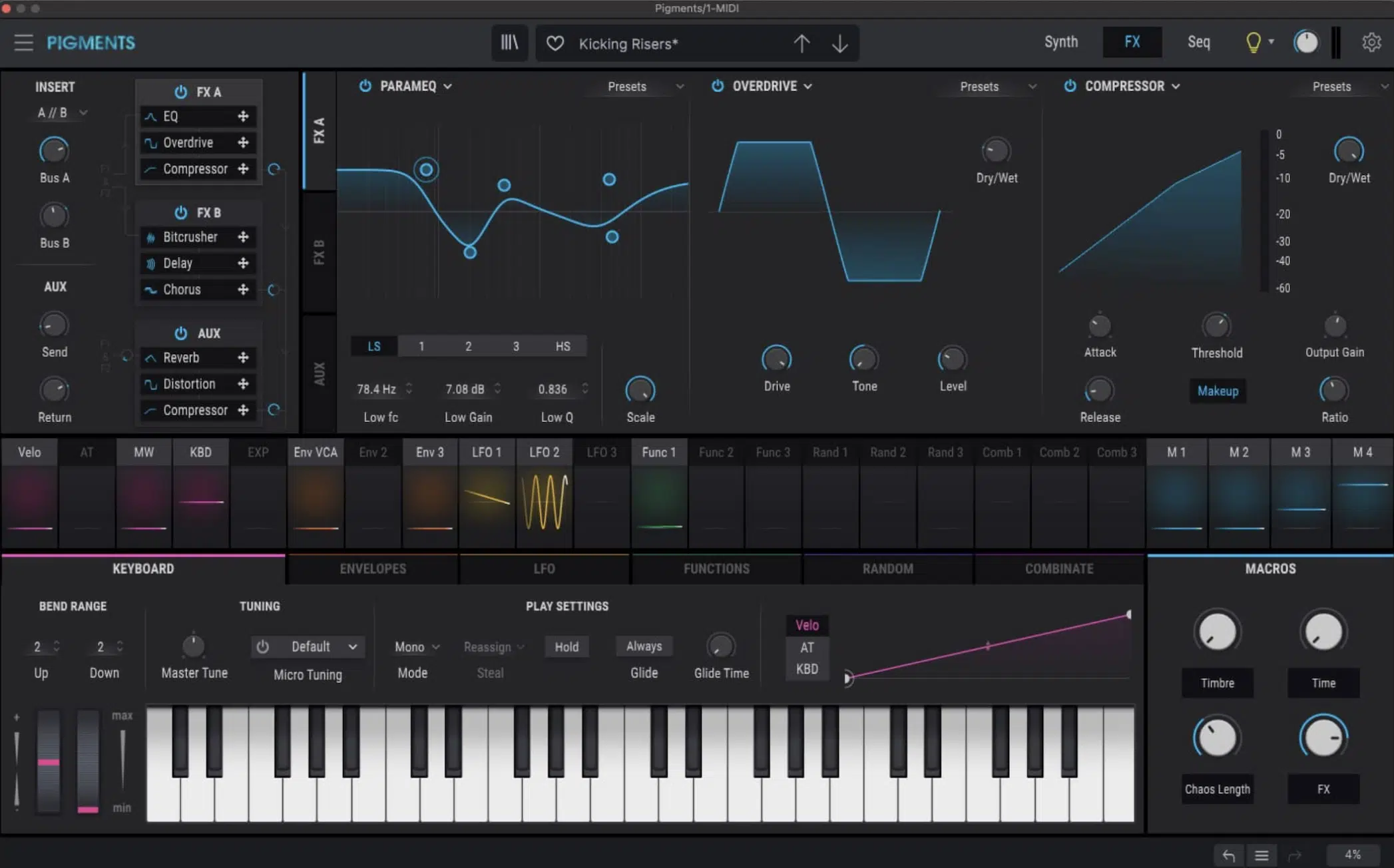
That makes Pigments 7 impressive for experienced sound designers who enjoy that kind of complex architecture, but Unisynth still comes off better.
The rack feels more direct, the chain is easier to understand, and the routing freedom is right there without forcing you to mentally map the whole signal path first.
So for FX and polishing, Pigments 7 absolutely offers depth, but Unisynth wins this part of Unisynth vs Pigments 7 because the Serum-style rack is untouchable.
That configurable chain feel, per-oscillator processing, and clearer workflow make it much easier to turn a strong patch into a finished one without slowing the whole session down.
NOTE: And again, you can have Unisynth’s AI generators get as broad or specific as you’d like, as it can be used to generate an entire rack of effects for you, or you can choose the effects and have it simply generate new settings.
Wavetables: Up Close
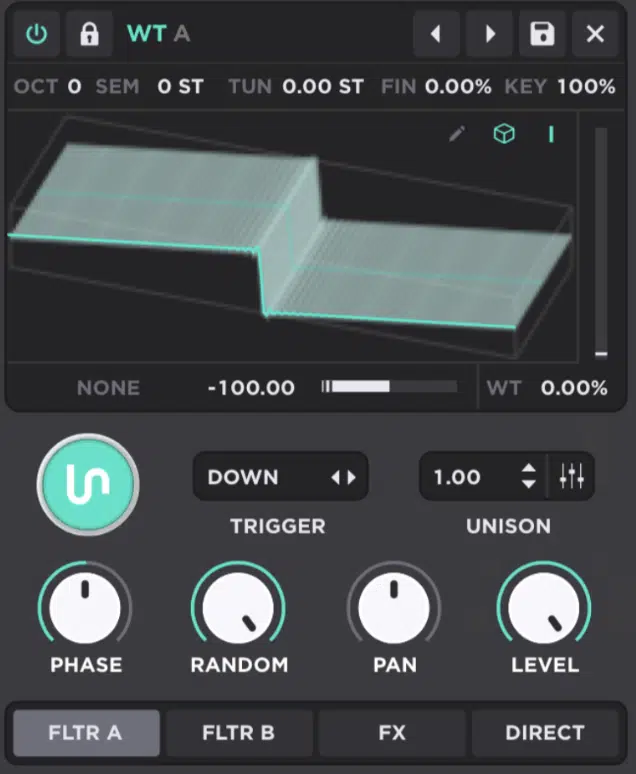
Wavetables are one of the main reasons modern synths (particularly of the wavetable variety) can sound so razor-sharp, animated, detailed, and on point.
A wavetable is basically a collection of wave shapes you can move through to change the harmonic character of the sound over time.
Unisynth is stacked in this area with 350+ wavetables, so right away you have a large pool of digital wave content for:
- Brighter tops
- More aggressive mids
- Smoother morphing tones
- More modern harmonic movement across leads, basses, pads & plucks
What makes Unisynth stronger is that it does not stop at simple wavetable playback 一 it’s all about wavetable editing.
Meaning, you’re not just loading a wave and scanning through it, but actually getting immense control over the wavetable side itself.
That opens up a lot more room for game-changing sound design, believe me, especially when you combine that wavetable content with Unisynth’s broader hybrid setup.
The wavetable side is not stuck on its own island & can be shaped as part of a bigger patch.
You know how Serum has its fabled wavetable editor?…
Well, imagine that inside Pigments, except the settings can be generated, worked on, and regenerated again, since AI generators live within the wavetable editor as well.
So in Unisynth vs Pigments 7, Unisynth feels much more serious for producers who actually want to work with wavetable material instead of just browsing it and moving on.
Pigments 7 includes wavetable synthesis, and version 7 even added 50 new wavetables.
So, there’s still a solid amount of fresh wave content there for people who like building sharper, more digital patches, no doubt.
The problem is that Pigments 7 still has no true built-in wavetable editor or deeper wavetable modification section.
This means you can load and scan wavetable material, but you are not really getting the same level of direct editing control inside the instrument itself.
That is a pretty substantial difference, because one synth is giving you 350+ wavetables plus reported editing depth, while the other is still leaning much more on selecting existing wavetable content and shaping it around the edges.
So for this part of Unisynth vs Pigments 7 debate, Unisynth pretty clearly takes it.
I mean, wavetable synthesis is supposed to be about movement and control, and Unisynth gives you more of both.
Presets & Inspiration

Presets (for inspiration) can help you decide whether you get in the zone, or stuck endlessly scrolling, second-guessing, and wasting creative energy.
All before the track even starts really moving.
Unisynth feels insanely on point here because its whole angle is AI-powered sound generation, so instead of making you hunt through a giant library first, it’s much smarter.
It’s built to create fresh starting points that already feel pointed in a useful direction.
And things get even better from there because Unisynth has per-module generation, which means you can bang out the full preset, or only re-generate certain parts of it.
You can keep the filter movement you like, swap out the oscillator content you do not, or refresh just one part of the sound without destroying the whole patch.
That is a much more useful kind of inspiration if you ask me, because sometimes the bass tone is right but the top layer is wrong…
Or maybe the texture is great but the motion needs help, and Unisynth lets you fix that without starting over from zero every single time.
Pigments 7 takes a more traditional route here.
It leans heavily on its 1700+ presets, which is obviously a huge library and definitely helpful if you like auditioning lots of finished sounds before you start tweaking.
Version 7 also refreshed that side with 150 new presets, so Arturia clearly knows its preset ecosystem is one of the biggest reasons people keep coming back to Pigments.
Still, this is where the difference in philosophy really shows.
Pigments mostly says “here are lots of presets,” while Unisynth says “here is a way to generate a sound, reshape specific parts of it, and keep moving.”
That is why the Unisynth vs Pigments 7 conversation is such a great one 一 Pigments gives you quantity, but Unisynth gives you a much more creative way to actually land on something fresh.
Besides, technically it gives you an unlimited source of new presets, except they are specific to the content you want to create.
So when inspiration is the topic, Unisynth wins pretty comfortably, because it feels less like a preset browser and more like a sound design partner that helps you get to a strong idea faster and then improve it without killing the vibe.
PRO TIP: One thing Unisynth does really well is teach by showing, which is truly invaluable. I mean, when a synth can generate a strong sound first and then let you open up the deeper layers afterward, you naturally start learning things.
Things like what each oscillator type, texture source, and routing choice is doing without staring at a blank patch for twenty minutes.
Final Thoughts: Unisynth vs Pigments 7 (Why Unisynth Takes the Crown)
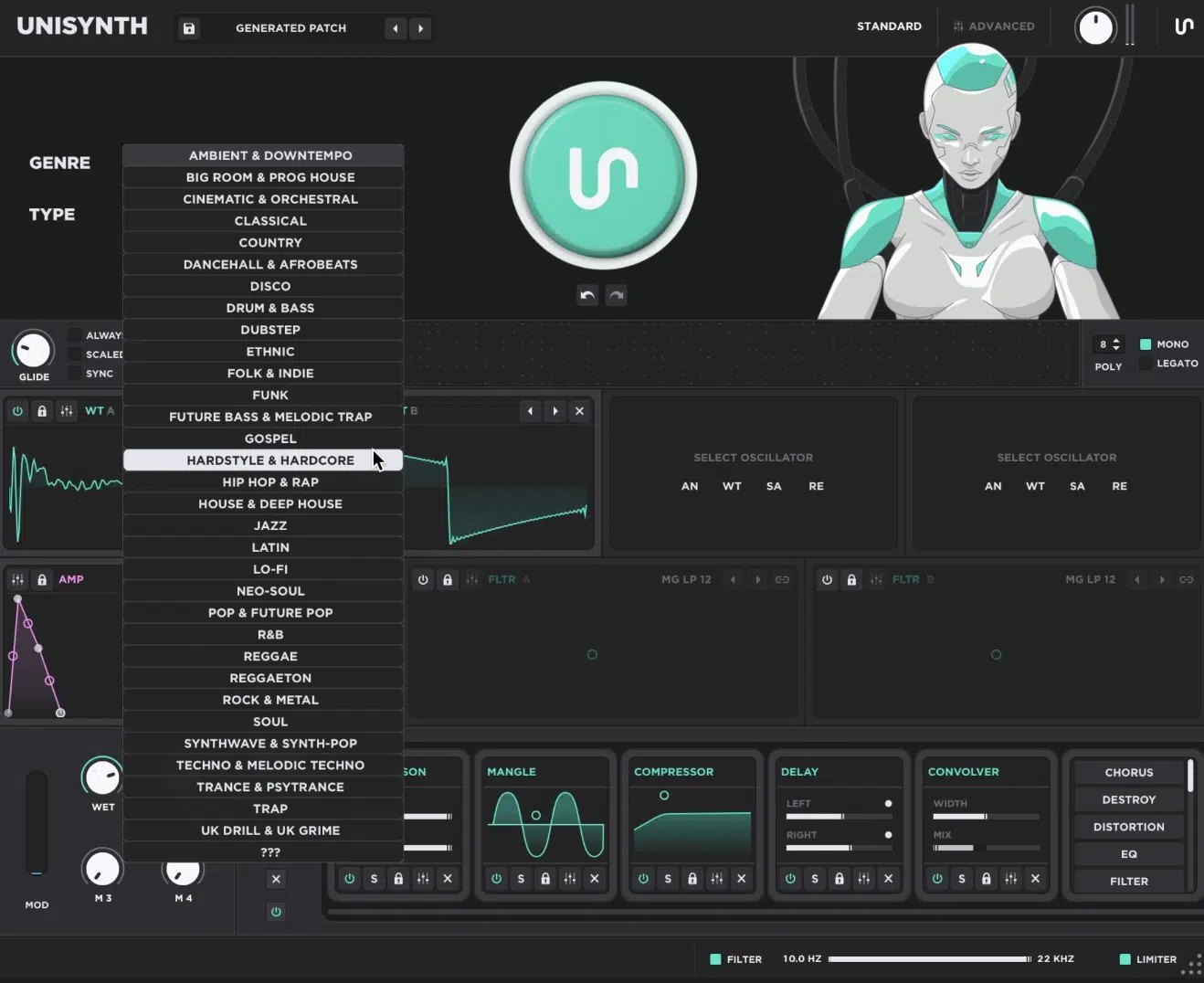
At the end of the day, the Unisynth vs Pigments 7 comparison really stops being a close call once you look at how much Unisynth gives you in one place (it’s the clear winner!).
You’re getting AI-powered sound generation, 32 genres, 4 oscillators, 350+ wavetables, 1,250+ samples, and 25 built-in FX.
All inside a workflow that simply feels faster and more exciting.
Pigments 7 is still a very capable synth, but it leans much more on traditional sound design, preset browsing, manual setup, and deeper programming.
Unisynth on the other hand, feels more in tune with how we actually want to work now when speed, flexibility, fresh ideas, and strong sounds all matter at the same time.
That is a huge reason the Unisynth vs Pigments 7 debate naturally swings toward Unisynth 一 it doesn’t just help you make sounds, it gives you enough depth underneath to keep shaping, layering, editing, and fine-tuning without ever feeling limited.
It also helps that Unisynth is stronger in several of the biggest day-to-day categories, including inspiration, wavetable depth, and overall layering potential.
Pigments 7 still has no true wavetable editor and still relies more heavily on browsing existing material instead of helping you generate something new in a smarter way.
And from a sound standpoint, Unisynth also comes off bigger, fuller, and more polished, which is everything because most producers are not opening a synth just to admire the interface or set up modulation for half an hour.
They’re opening it because they want a bass, lead, pad, pluck, or texture that sounds great in the track, which you’ll get with Unisynth (and some).
So if you’re wondering which synth has more modern features, creative momentum, useful depth, and value in a real studio setting, Unisynth wins all day.
Pigments 7 deserves respect, sure, but Unisynth ultimately takes the crown.
It’s more forward-thinking, more flexible, more inspiring, more loaded with useful content, and simply better at helping producers/sound designers get to stronger sounds without all the extra friction.
If you don’t believe me, click the link below and see for yourself!
Until next time…
Download The #1 Synth Plugin In the World




Leave a Reply
You must belogged in to post a comment.